

How to recover your Google Business listing (disabled or suspended)
During my travels, I occasionally coach my favorite local businesses for free to help them get more visibility, because I’m a “Local Guide Level 7” on Google Maps and my reviews carry much more weight than others. Among my favorite businesses is an absolutely adorable jeweler who loves to learn and keeps me updated on his business’s progress.
For several weeks, he hasn’t been able to add photos/videos/his phone number to his Google Maps listing. I stop by his shop, he hands me his computer, and I improve the description of his listing. We chat happily.
Two minutes later, we go back to Google Maps and it says “listing suspended.”
Honestly, I’ve never felt so bad. He just lost his Google Business listing with 110 five-star reviews! It’s the end of his small business, because 90% of his customers come through Google Maps! I just killed his business by editing a simple description!
After a brief moment of panic, I pull myself together and eventually we manage to recover the Google Business listing!! In this article, I’ll explain how.
You should know that Google increasingly uses AI-based tools. Unfortunately, these tools aren’t flexible. They follow strict rules, and the moment you’re a bit borderline, your listing disappears. Over the past year, I’ve noticed more and more “disappearances” of small businesses on Google Maps, even though when I visit them in person, the business clearly exists.
So, first of all, you need to log into your Google My Business account regularly to keep an eye on things. Sometimes a listing disappears without the owner even knowing.
Then, when you notice your listing is gone, you should immediately check your email and read what Google is accusing you of. The reason for the deactivation will be clearly stated. In my jeweler’s case, it was flagged as “fraudulent” (probably because they think he doesn’t have a physical store). There will be a button in the email that leads to an appeal form. If you don’t receive an email, no big deal—there’s another method (go here and click “appeal”)
Alright, before clicking that “appeal” button, make sure you have one of the following documents ready:
- Official business registration
- Professional license
- Tax certificates
- Utility bills for the business, for example:
- Electricity
- Phone
- Water
- Internet
Tip: For any supporting documents you send, make sure the name and address on them match the listing you’re appealing for.
You’ll also need a photo of the storefront with the name and address on them match the listing you’re appealing for.
Because once you start the appeal process, you only have 60 minutes to submit supporting documents, so until you have:
- the supporting document
- the storefront photo
Wait a bit longer.
In my jeweler’s case, I was there on site and he had two supporting documents in the shop, so I told him to take a photo of the storefront and hand over the documents. You can only send two files, so I sent the following:
- A photo of the storefront, clearly showing the shop’s name and postal address
- A photo showing both supporting documents side by side: an invoice with the shop’s name and address + a tax certificate with the shop’s name and address
In the “comment” field, I described in English (1) the nature of the documents I was sending (2) the shop’s name and postal address (3) and asked them to contact us for more info.
Even if the form is available in the local language, I prefer to write in English so that the AI can understand me better (yes, the call form is processed by AI first). If your English is poor, use ChatGPT to translate.
In case your storefront doesn’t have not the store’s mailing address, I suggest you make a new sign and hang it for 5 minutes in front of your store if you want, but it must exactly match the business name on Google Maps plus the address on Google Maps.
3-4 days later, my jeweler called me at 8am: his Google Maps listing was back. Photos and reviews took half a day to return, but he lost nothing! What a relief.
In his case, it was a Google error.
But If it’s your own mistake, you need to fix the error before making the call.
The most common mistake is giving too much detail in the business name. Suppose you have a restaurant called “Mikado”, and the invoices, documents, and storefront say “Mikado”. You want people to know it’s a Japanese restaurant, so you put “Mikado Japanese Restaurant” on Google My Business. This title violates Google’s terms of service and you risk losing your listing. The correct name to use is just “Mikado”. So, it’s better to use exactly the name as it appears on official documents. And the storefront must display that exact name.
For Mikado, you must (1) use “Mikado” as the name, (2) specify “Japanese restaurant” only in the description, (3) if you have a website, the phone number on the website must exactly match the phone number on your Google My Business listing.
Fix your errors (name, description, phone number, hours, etc.) before making the appeal.
If you’ve done all that and still can’t recover your listing, you’ll need to create a new one, being careful to follow the previous guidelines.
It’s better to have a “Local Guide” do it for you.
They need to be physically in the store, connect to Google Maps, click on the GPS point for the store, then “Add a missing place”. They will enter the business name and address, perfectly following Google Maps rules.
As they are a “Local Guide” on Google Maps, the listing will be created within 10 minutes, without needing proof, mail, etc.
Then, you’ll see the listing on Google Maps and click “Claim this business”.
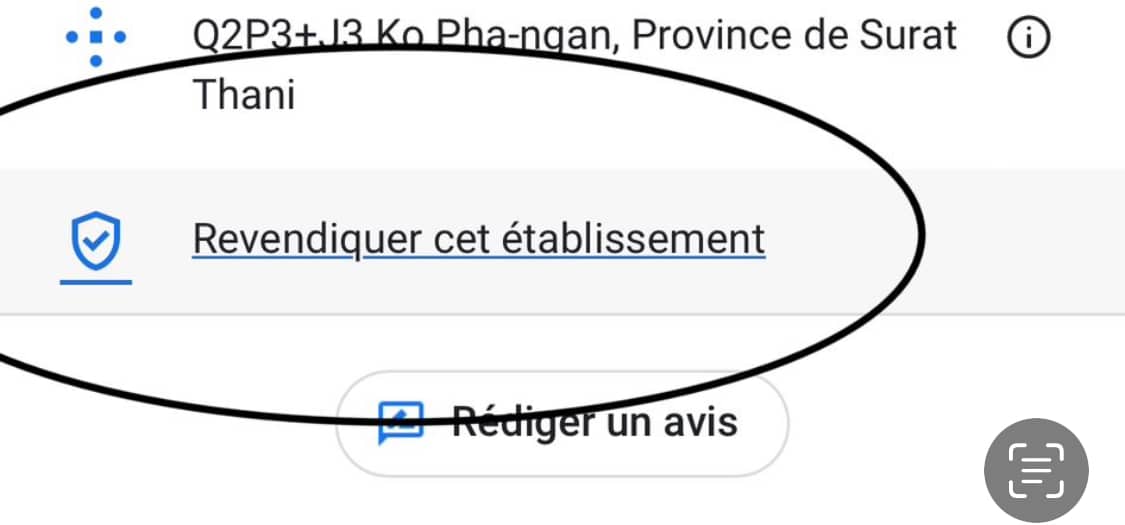
You won’t be able to recover the old reviews since it’s a new listing, but at least you’ll have one.
If you don’t know a “Local Guide”, ask around—one of your friends or customers is bound to be a Local Guide on Google Maps and can help you. Otherwise, you can go to Google Maps review exchange groups on Facebook, though that’s a bit riskier.
Local Guides have a lot of power. For example, I was able to handle an address change as a Local Guide for one of my favorite merchants, even though he had been struggling for months to prove his address change to Google.
I hope these tips are useful to you.
One extra tip: don’t rely too much on Google Maps; diversify your channels, be present on Facebook, Instagram, TripAdvisor, Yelp, etc. just in case…
Note: I can’t help you remotely; I need to be on site to do all these manipulations, so please don’t send me an email. You need to find your own Local Guide to help you if needed.

