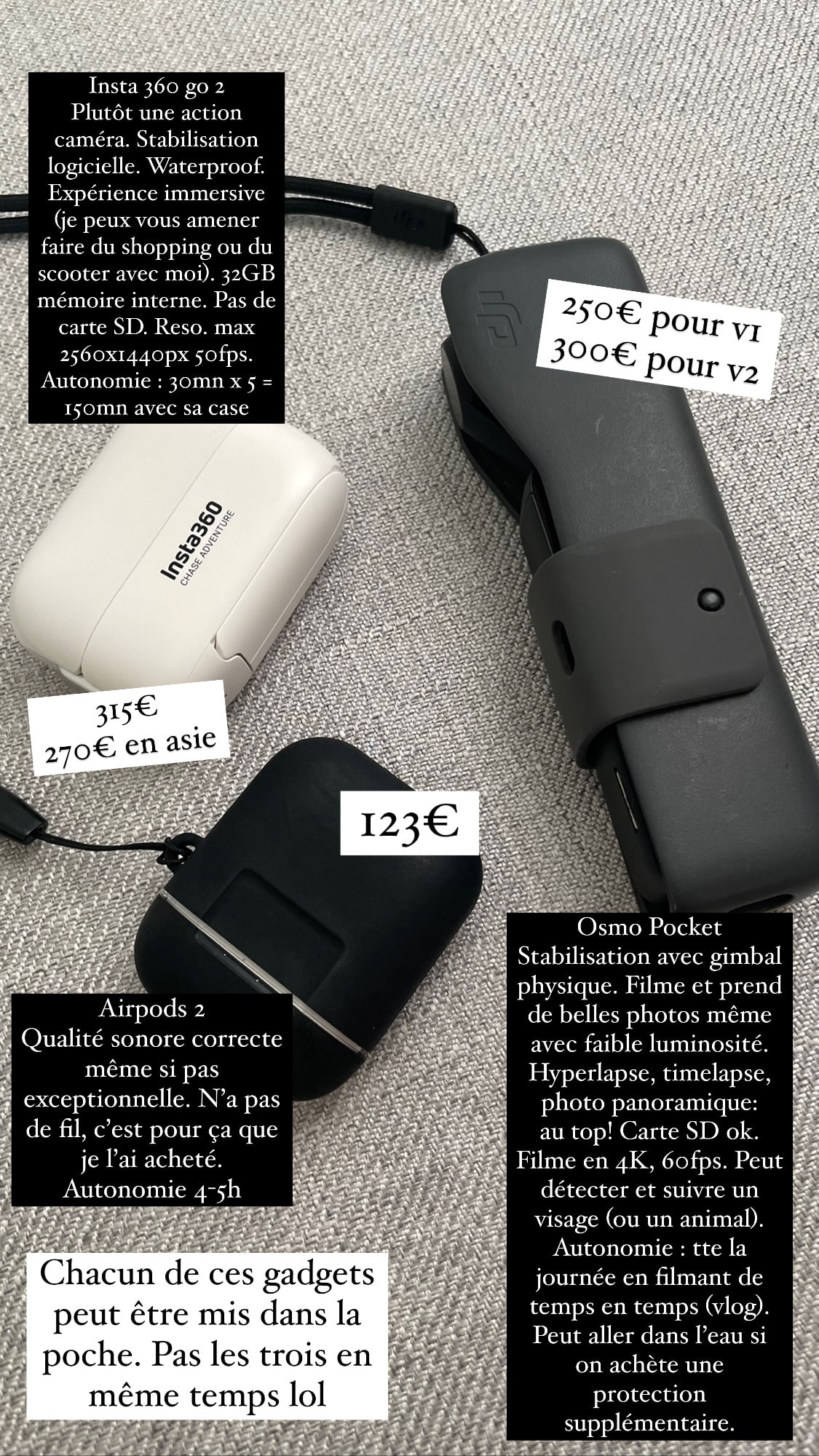
[Test & Review] Insta 360 Go 2, 27g: For Travelers Who Want to Film Discreetly
It looks like it’s the year of gadgets! After convincing hundreds of people to buy screen., I pulled out my wallet to get theInsta 360 Go 2. If you don’t want to keep blowing your budget on gadgets, stop reading right now, because I can be very persuasive 😀
Note: this post is not NOT sponsored. Nobody is sponsoring me, to my dismay (I want free stuff! I waaant iiiit)
I hesitated a lot before buying it, because my Osmo Pocket can already do everything if you have the right accessories! It can even go in water if I buy the protective case. Plus, due to the global semiconductor shortage, Insta 360 Go 2 is very hard to find, it’s often out of stock. But in Thailand, where I am right now, everything is too easy! On marketplaces like Lazada and Shopee, you can order anything you want, without paying upfront! The product gets shipped straight to me a few days later and I pay on delivery. 0 service fees. 0 shipping fees. And for some unknown reason, here, I only paid €270 (vs. €319 in France). So I was forced to place an order. Hihihii.
But after receiving the product, I realized this purchase was absolutely essential. I wondered why it didn’t exist before.
Insta 360 Go 2, what is it?
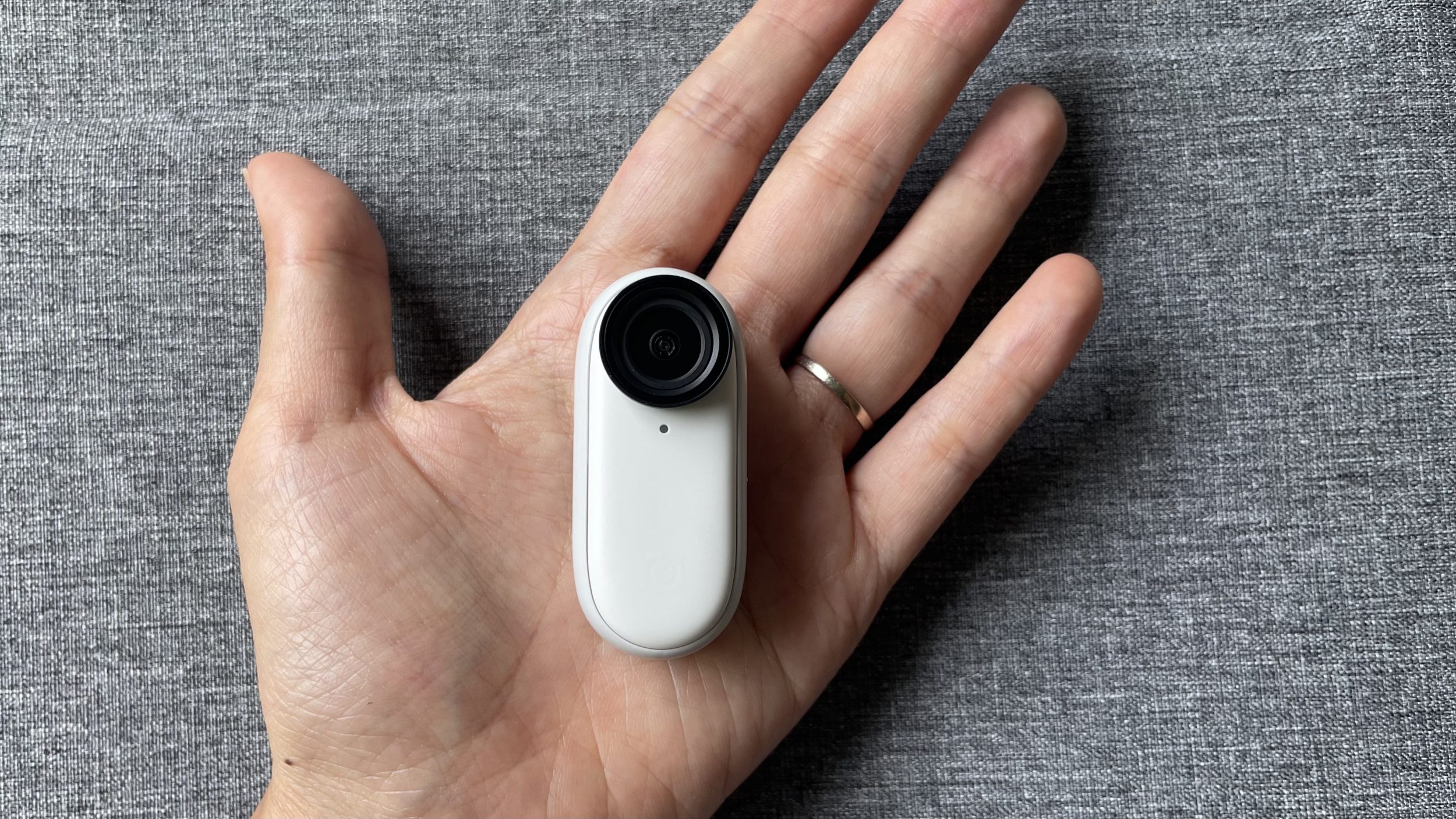
It’s a tiny action camera that weighs 27g.
It’s made by a company called Insta 360, based in Shenzhen (China) which has NOTHING to do with Instagram. This company offers action cameras, but also 360° cameras.
Thanks to its small size, Insta 360 Go 2 is extremely popular with FPV drone fans and vloggers.
The specs
| Specs | |
|---|---|
| Video | Automatic Manual (shutter 1/8000 – 1/30, ISO 100-3200) Shutter priority (1/8000s-1s), ISO priority (100-3200) FlowState stabilization (pro video mode) 2560×1440@50fps, 30fps, 25fps, 24fps 1920×1080@50fps, 30fps, 25fps, 24fps Basic stabilization (video mode) 2560×1440@50fps, 30fps, 25fps, 24fps 1920×1080@50fps, 30fps, 25fps, 24fps HDR 2560×1440@25fps, 24fps 1920×1080@25fps, 24fps Timelapse 2560×1440@30fps 1920×1080@30fps TimeShift 2560×1440@30fps 1920×1080@30fps Slow motion 1920×1080@120fps |
| Photo | Automatic Manual (shutter 1/8000s-120s, ISO 100-3200) 16:9, 2560×1440 1:1, 2560×2560 9:16, 1440×2560 Panorama Film, 2938×1088 |
| Opening | F/2.2 |
| Video | Encoding: H.264 Format: MP4 |
| Connectivity | Bluetooth: OK. USB Type-C |
| Storage | 32 GB (~28 GB usable), no Micro SD |
| Charge time | GO 2: 23 mins – 80% / 35 mins – 100% Charging case: 47 minutes – 80% / 65 minutes – 100% |
| Battery life | Camera alone: 30 minutes (basic stabilized video) 20 min (Flowstate stabilized video) In the case: 150 minutes (basic stabilized video) 110 min (Flowstate stabilized video) |
My needs
For a few months now, I’ve been running into some gear limitations for producing certain videos:
- with the success of my article on screen., I’ve received requests for videos/tutorials. The problem is, I’m very lightly equipped (I’m nomadic), and I don’t have gear or a tripod sturdy enough to film above my desk. The ideal would be a Go Pro on my forehead, or a small camera that attaches to a hat like the Insta 360 Go 2.
- I’m also asked for videos of beauty routines. For a good routine, the gesture is also very important. You can’t just apply the product any way. To produce this type of video, the ideal is to have a phone or camera that attaches to the mirror to film me applying my tons of cream. I considered buying an anti-gravity case for my iPhone, but reviews are very negative, such a product doesn’t seem to exist. So it needs either a tall tripod, or someone to film me in front of the mirror. Or a small camera that attaches anywhere like the Insta 360 Go 2.
- with our return to Thailand, we do more and more snorkeling. Osmo Pocket can go in water with its protection, but a natively waterproof camera is a huge bonus
- we’ve had a Go Pro and an action camera before, so I know how to use them and the size they are. But action cameras of this type don’t suit my needs at all. The Insta 360 Go 2 really meets the needs of a discreet, sturdy camera that attaches anywhere.
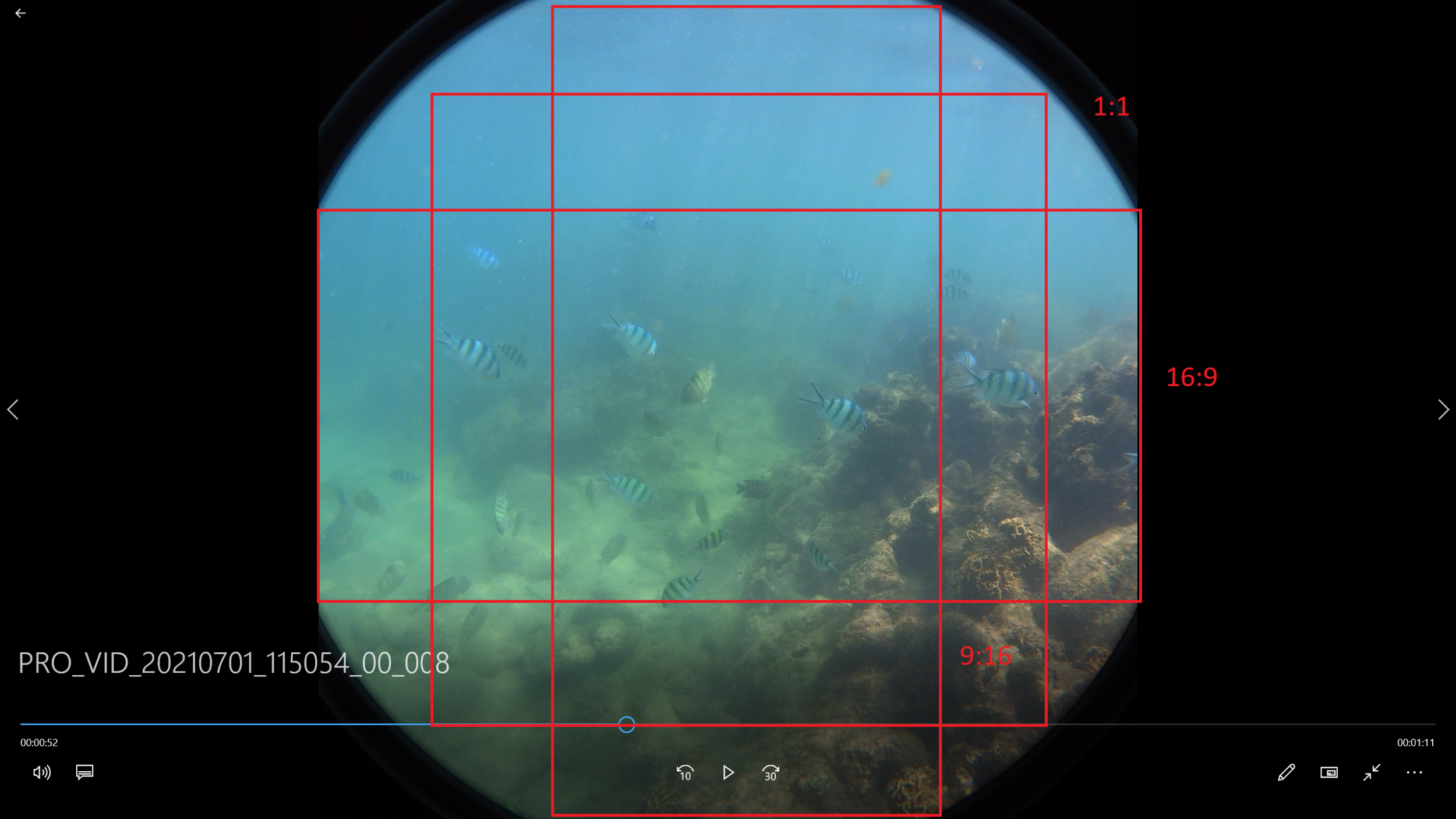
- as I’m increasingly active on Instagram, every time we go somewhere, I’ll have to shoot horizontally, then vertically, to have content for both YouTube and Instagram. With a camera like the Insta 360 Go 2, everything is shot in square format, in “fish eye” mode, and the same video can easily be exported in 3 formats: 16:9, 9:16, and 1:1 (YouTube, Instagram, Facebook). You only need to film once. That concept is absolutely incredible!
That’s how I decided to buy Insta 360 Go 2, since it’s the only product that ticks all the boxes.
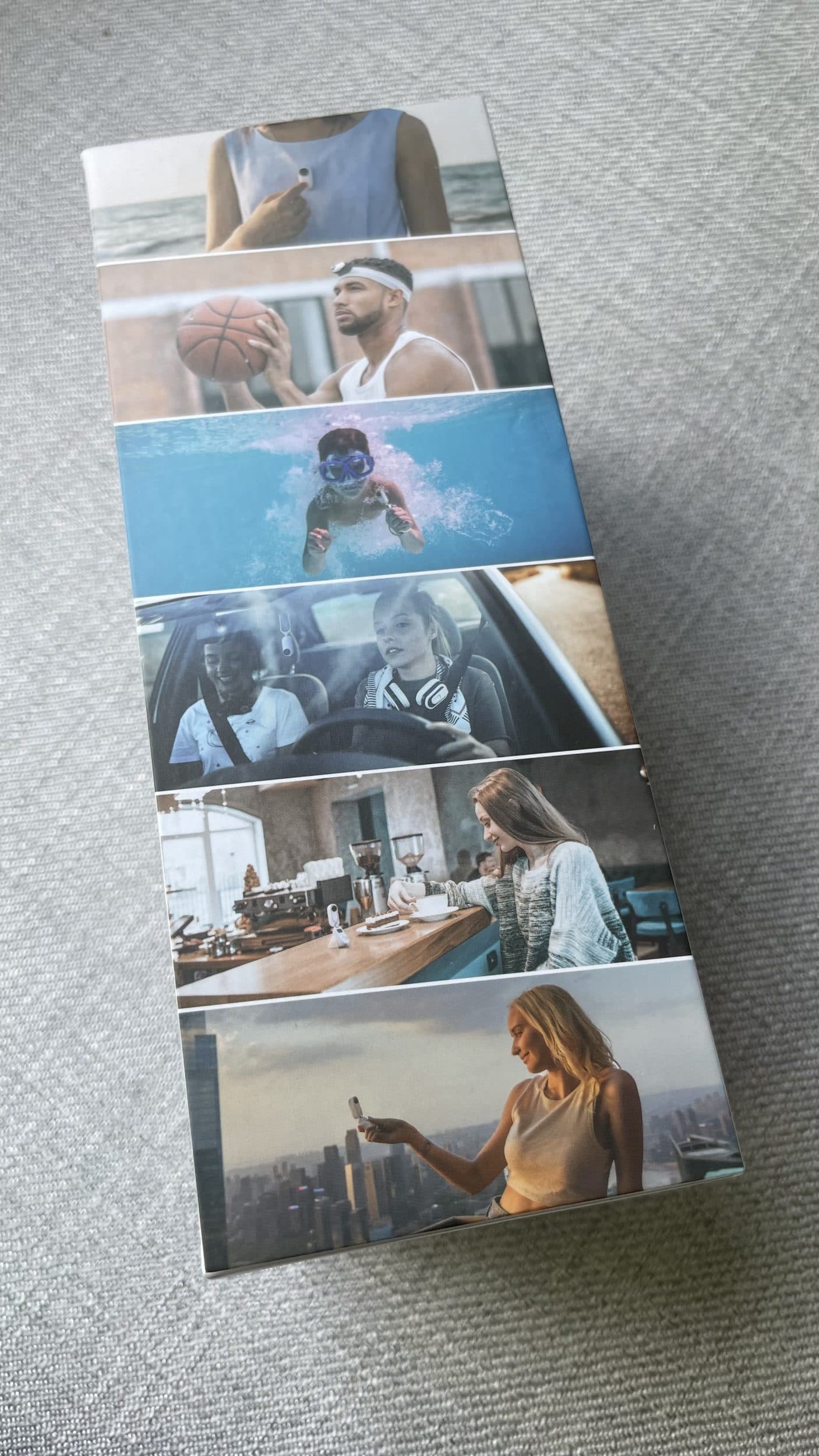
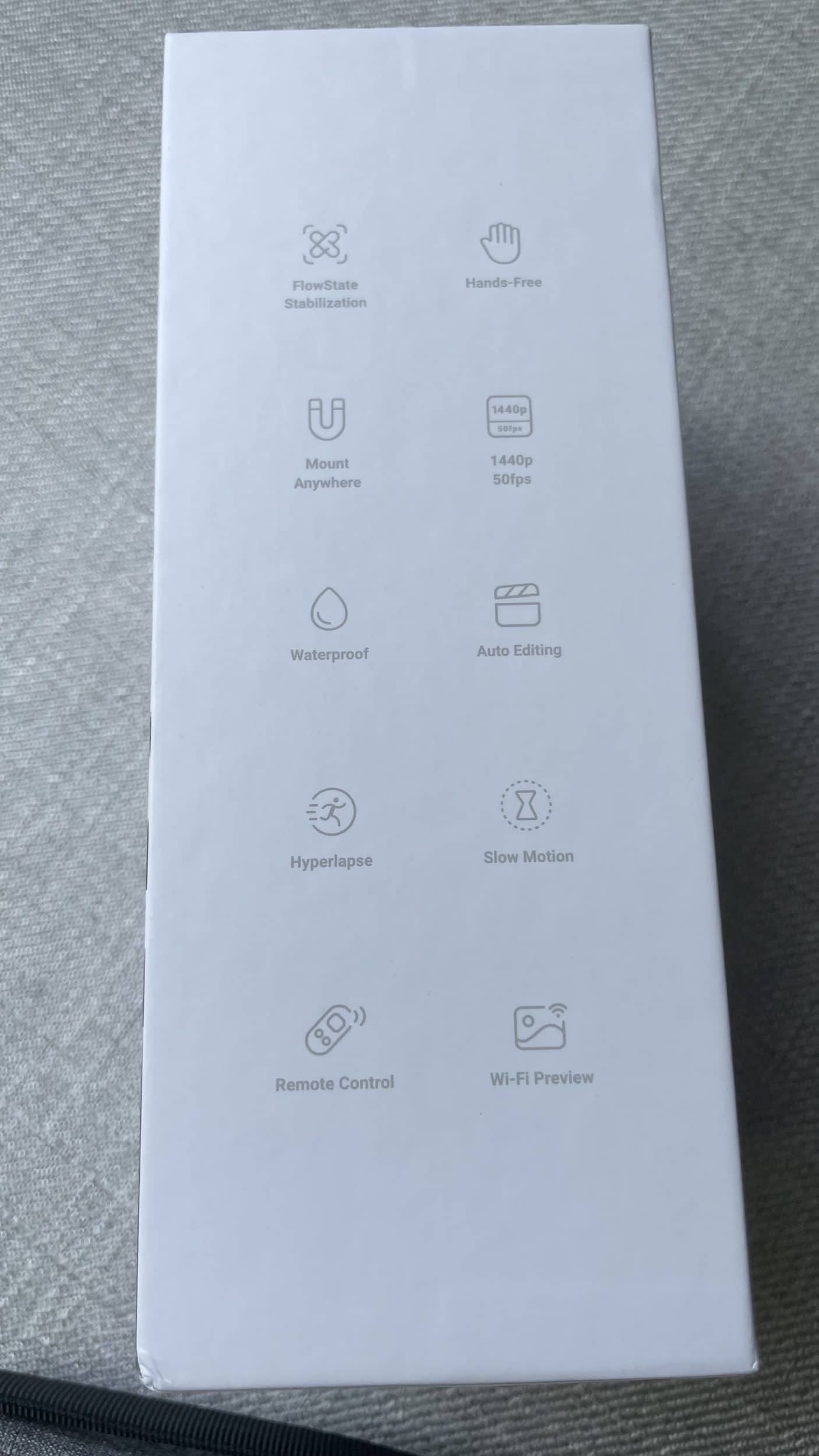
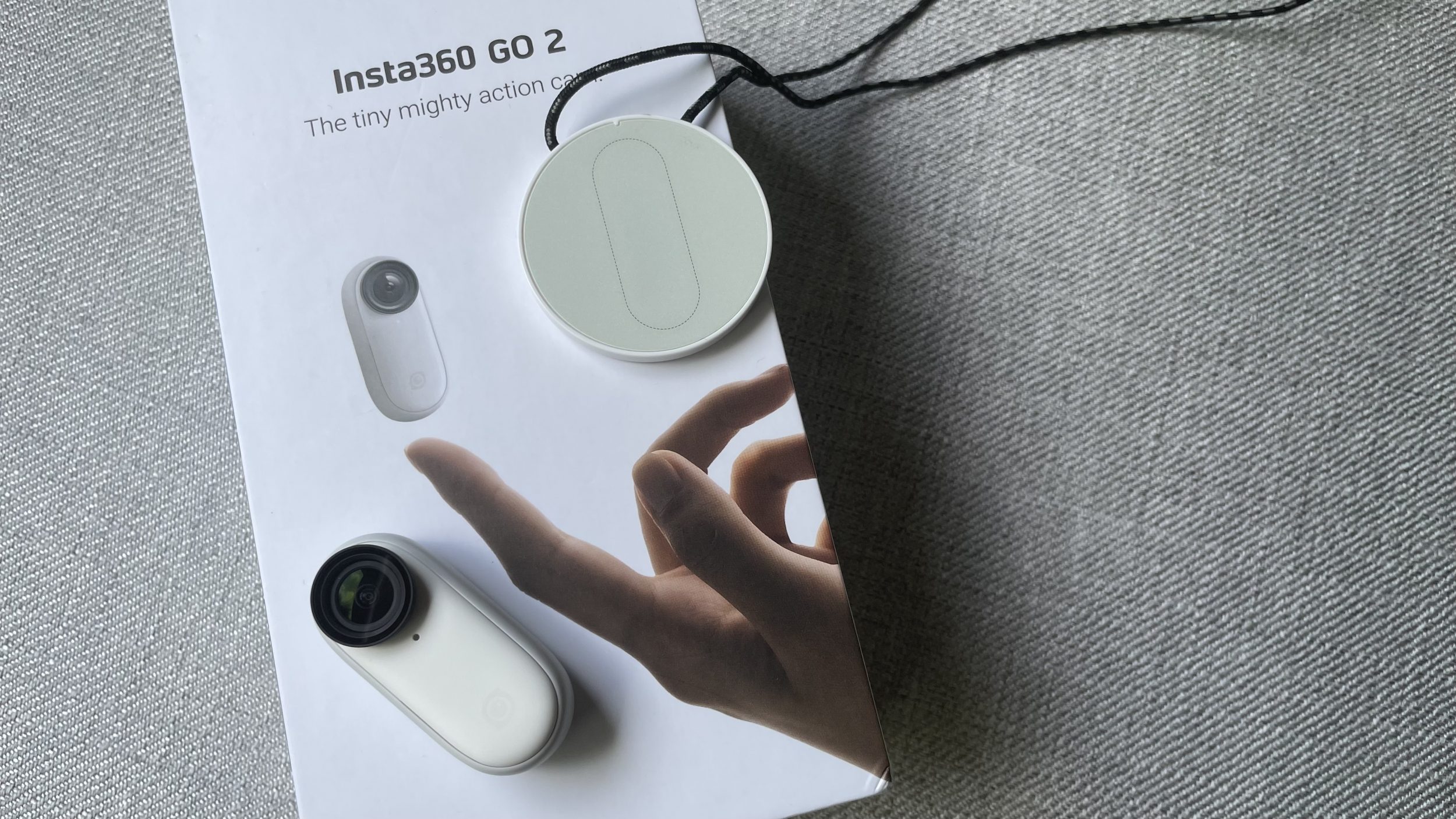
Insta 360 Go 2 (319€, Insta360 link (you get a pair of lens protectors for free), Amazon link, Fnac link) is truly a one-of-a-kind product. There’s no equivalent. Period.
Its case
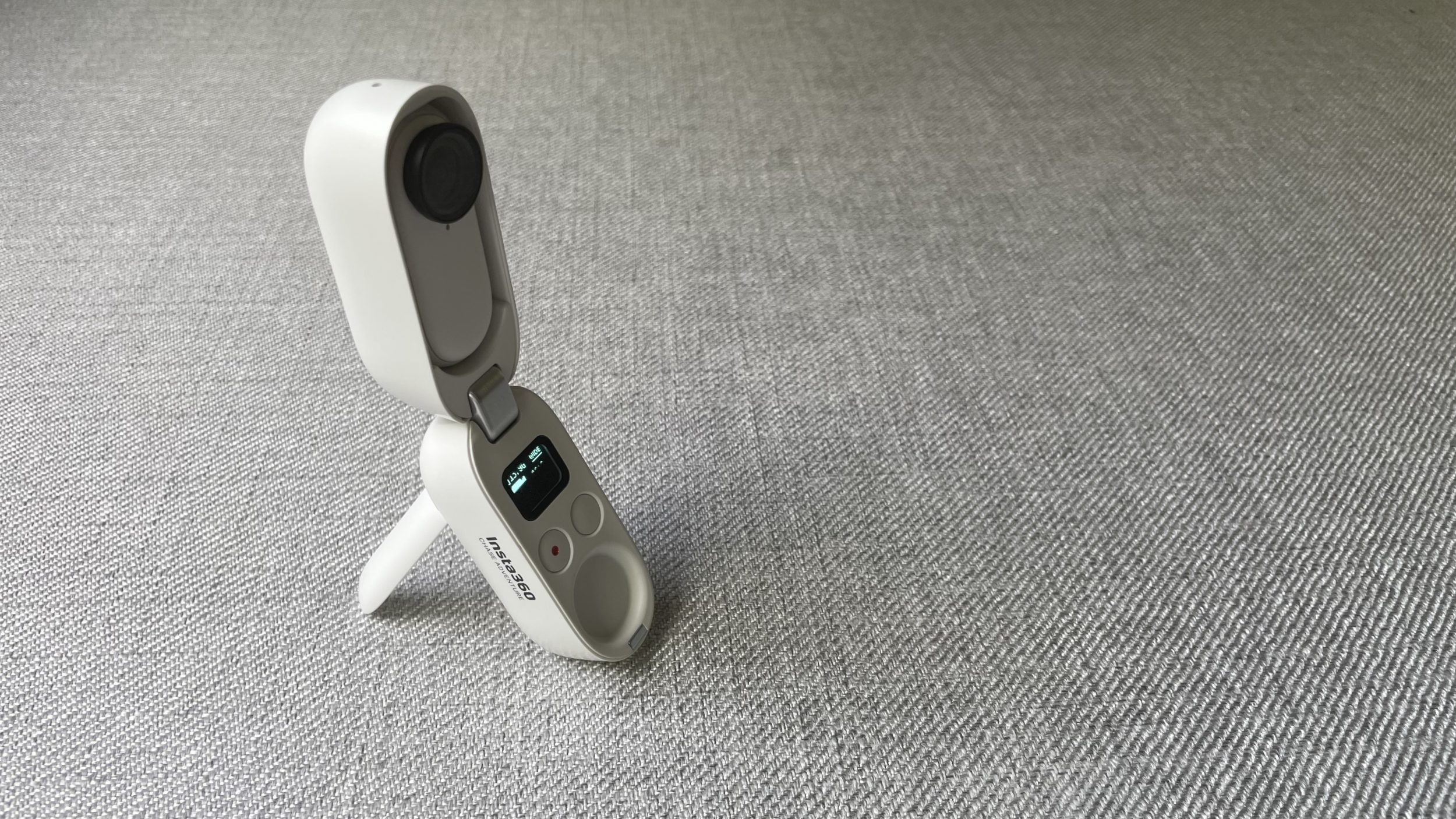
It presents a bit like Airpods, that is, with a case that serves as a charger but also as a remote control.
The camera works, with or without its case. It’s up to you.
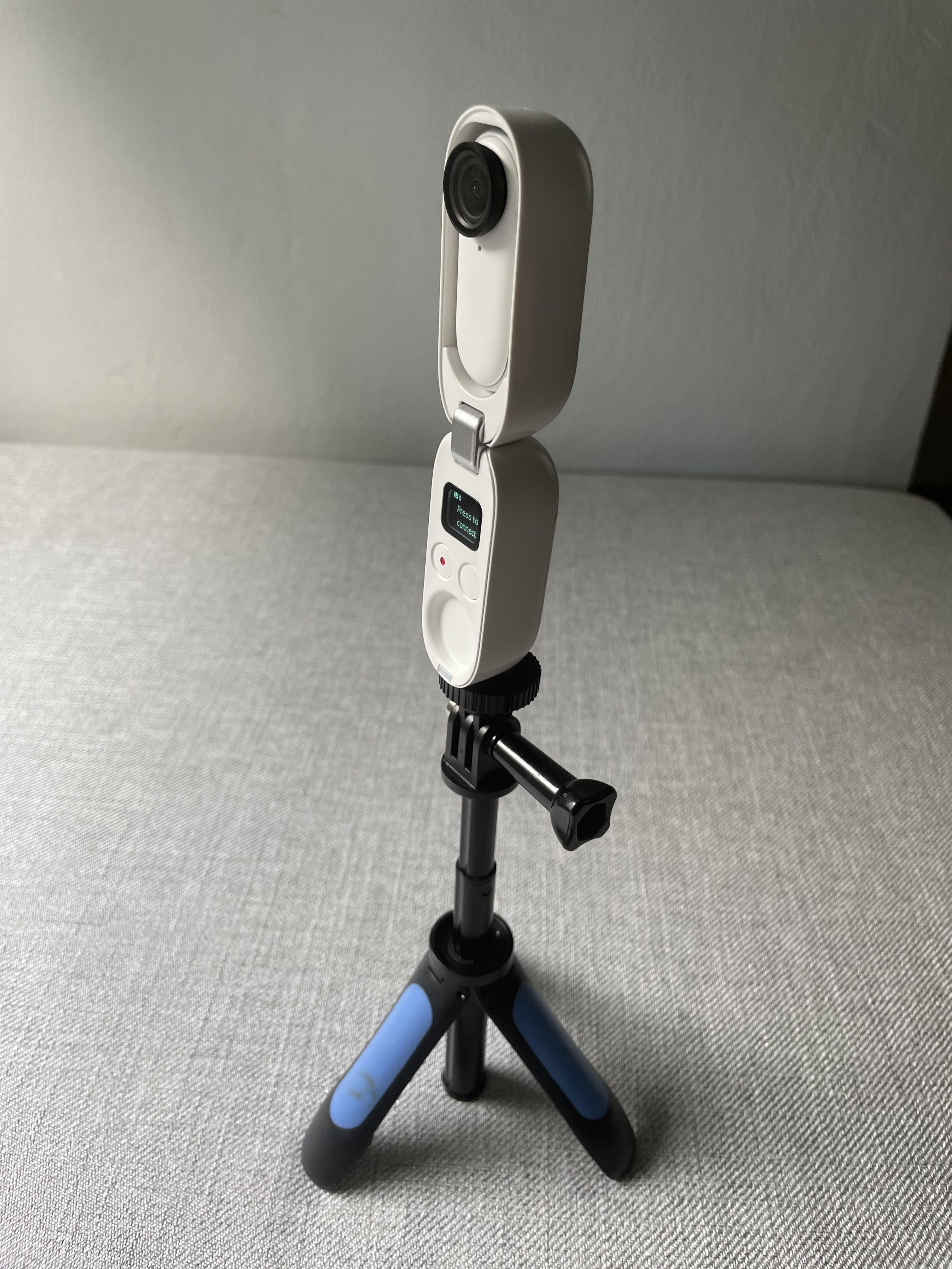
Plus, the case itself has a little system, to stand up on its own! Like a tripod. Wow wow wow! Who came up with this system? I’m giving you 20 points! It’s so ingenious! For the first time, you don’t need any accessories or mounts…
Its magnet
Next, the big bonus of this camera is that it is magnetic. This allows it to do a bunch of things:
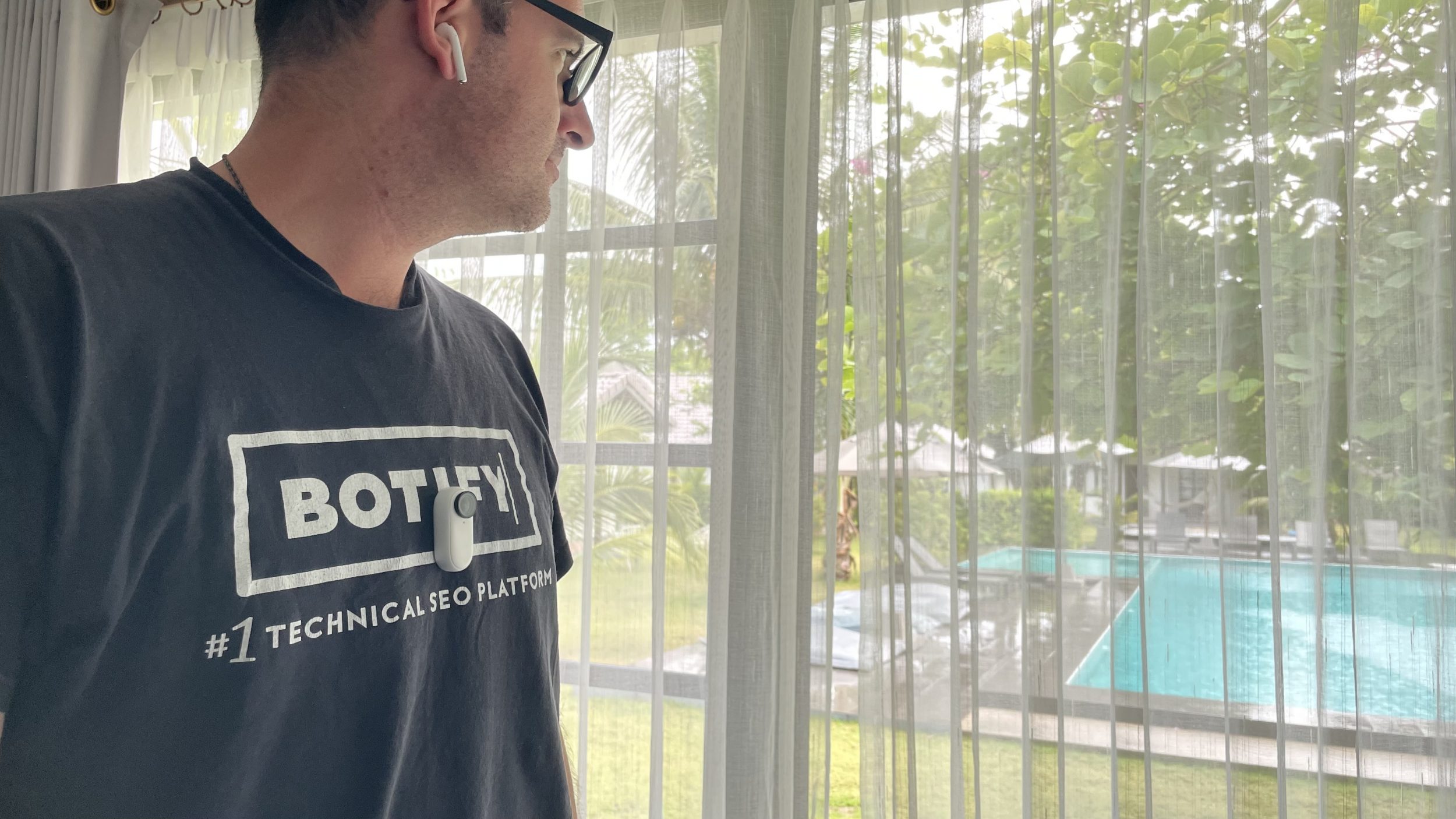
- stick magnetically to a necklace and film undercover. If the t-shirt is white, you can’t see a thing.
- attach it anywhere. There are always metal elements everywhere (gym, street, restaurants…), so if you want to get filmed, it’s too easy. You don’t even need the case, a mount, or tripod. Just stick it to something metal, and off you go!
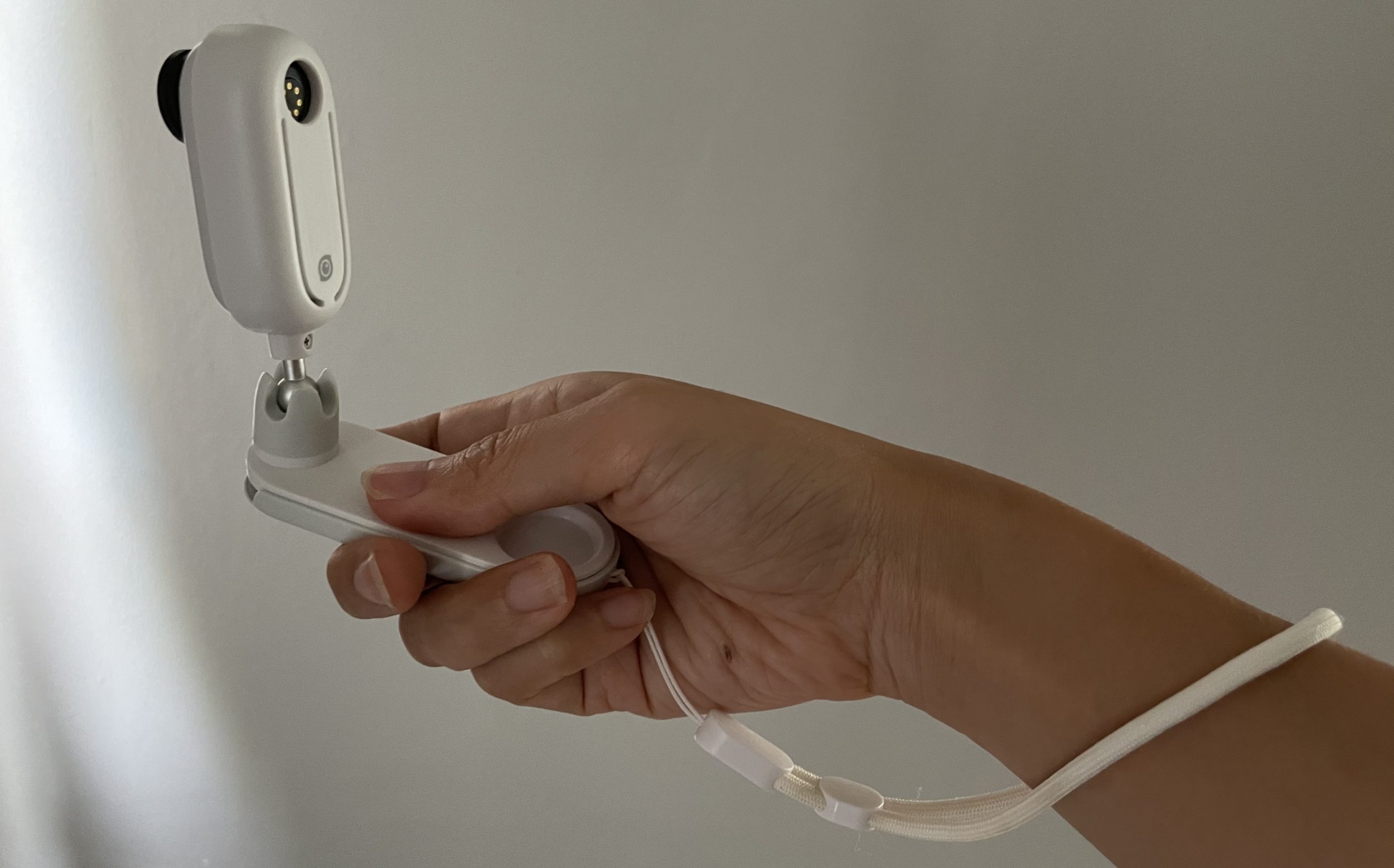
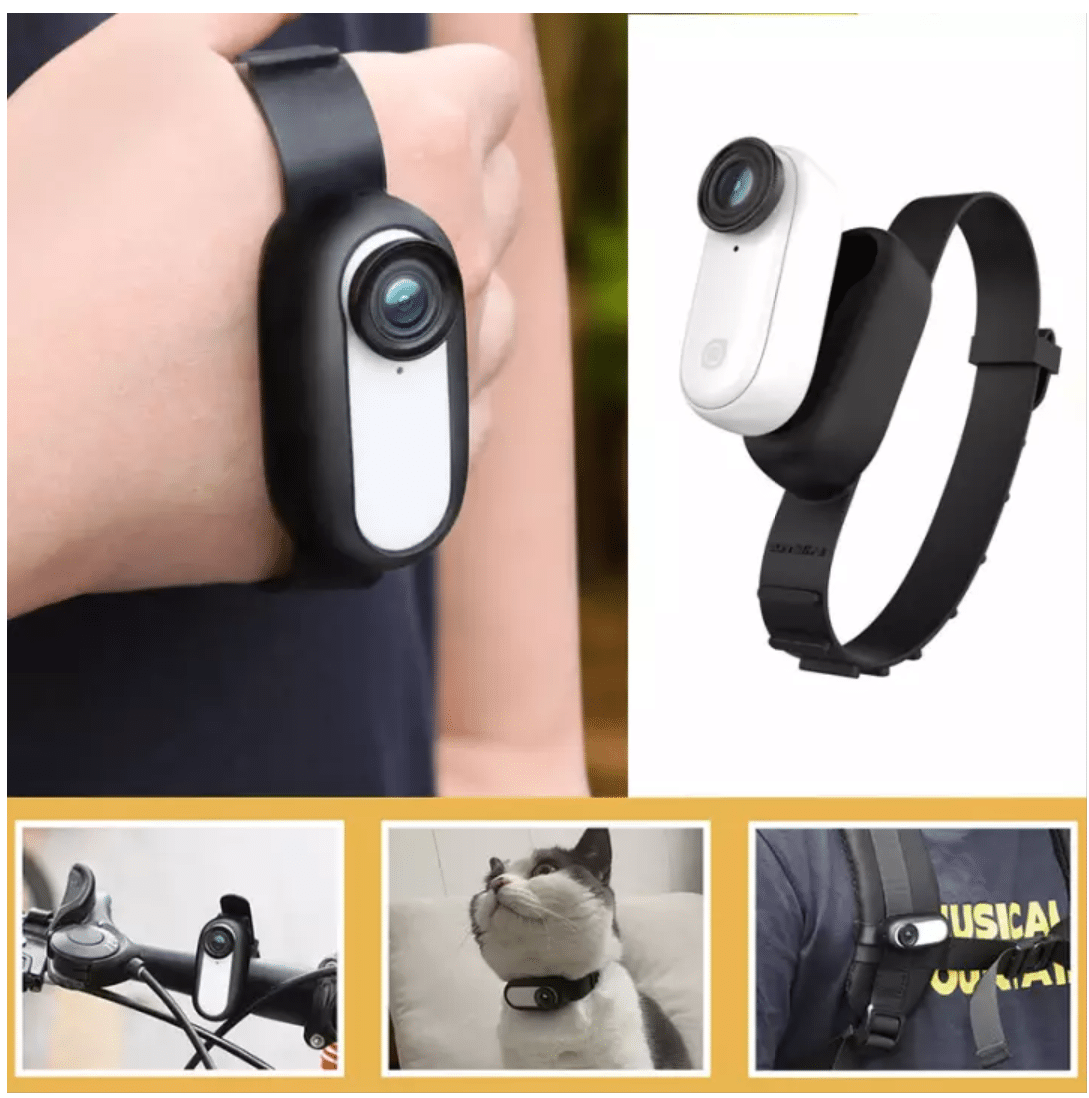
- have much more discreet mounting systems than the usual GoPro mounts. So you don’t need 5-6 accessories to attach it to your chest, hat, forehead…
I don’t know why influencers complain about the magnet, like “no one uses the necklace, the magnet isn’t strong enough”. WTF! They probably tested the device for 3 seconds to get paid, but they didn’t READ that you have to attach it to the side with the camera shape. If you attach it to the other side (with the round logo), of course it won’t hold.
To test the necklace, JB was instructed to test it everywhere. We took the scooter and went hill after hill, potholes, and ostrich holes… and the camera stayed attached to the necklace. Then, yes, if you bungee jump, skydive, or surf… ok, maybe it won’t hold. But if you’re just vlogging, running, or walking calmly, you’ll love this necklace!
Well, I don’t know anything about heart or lung diseases, blah blah… maybe it’s not good to have a magnetic object near your heart, etc. But those concerned will know not to use it, that’s all.
Personally, I love magnets! My reMarkable 2 stylus is magnetic, and it’s the best decision you can make in the world. Magnets are so cool! You never lose anything thanks to magnets. I love products where you can feel the guy behind really thought it through to bring you the best of the best out of himself. We need to encourage products like this!
Sure, the guy in question did a very bad job the first time: Insta 360 Go (version 1) is a piece of crap, I’m sorry, but it’s true! But he made efforts afterward to release a more than perfect version: Insta 360 Go 2.
Update October 2021: However, the magnet is less strong on the other included mounts. Proof: while snorkeling, JB swam with the white mount below, and the camera was ejected from its mount during a sudden movement, and we lost it at the bottom of the ocean (RIP). I contacted support, and after providing the serial number and paying the fees via PayPal ($161), they agreed to sell me the camera alone (since I still have the case and accessories haha), which is half the price of the full kit. That’s fair.
The pros
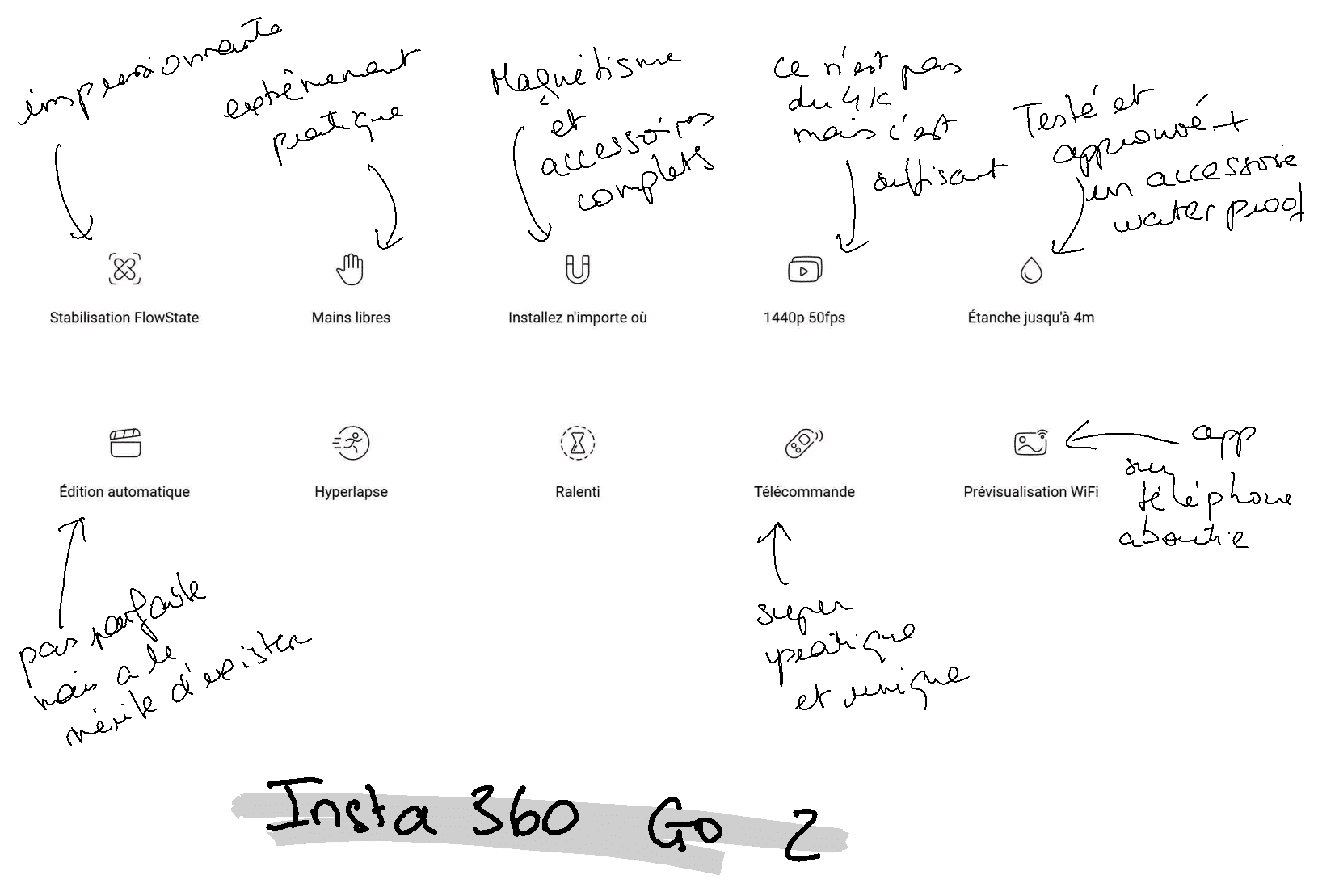
Why this product is AMAZING:
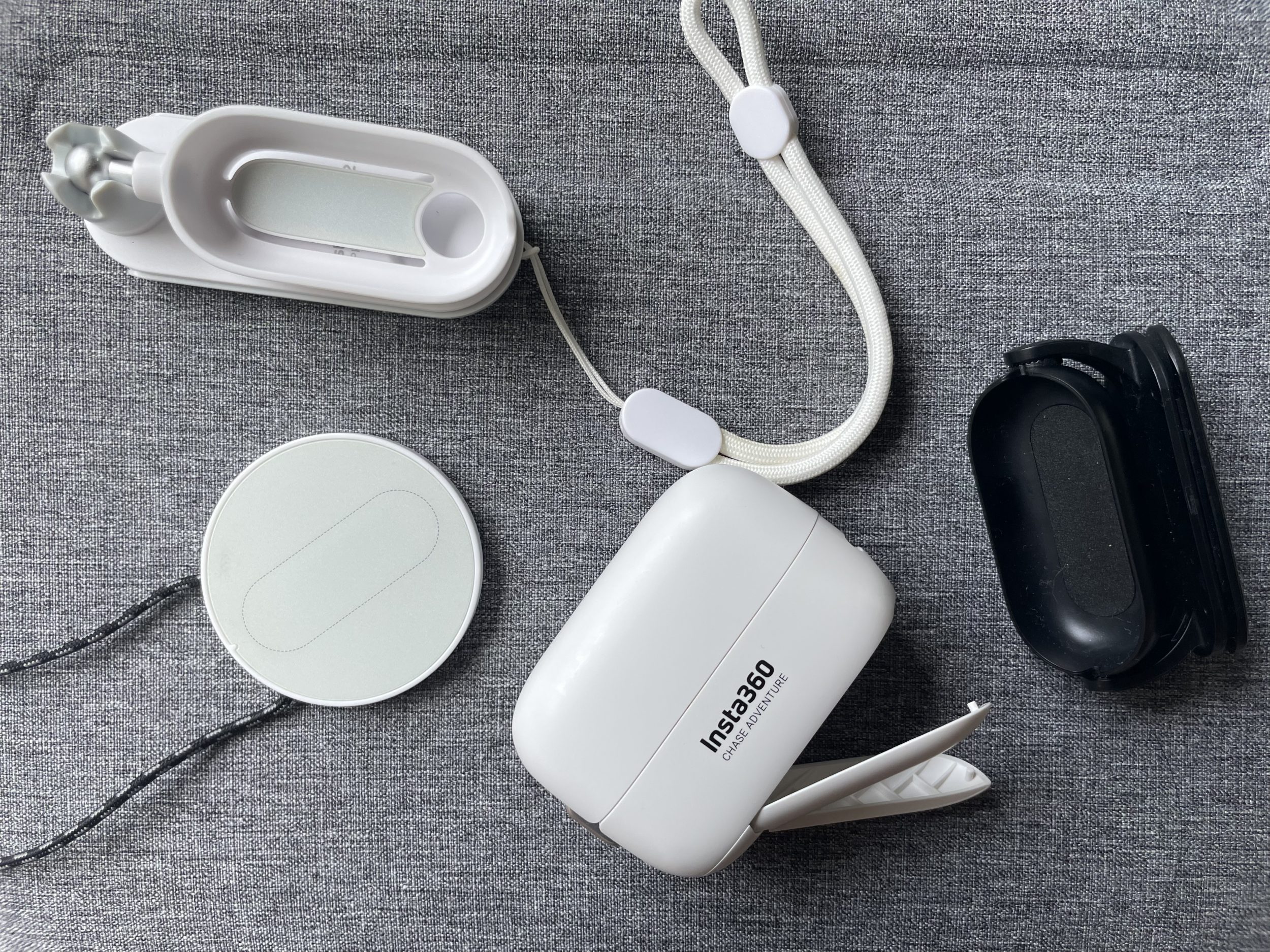
All the essential accessories are already included in the price
There are no extra accessories. Action cameras are often packed with too many accessories, but not here. There’s not a single one where I think “what’s this? I’m not going to use it.” Everything is useful! You can attach the camera to any surface, take it in the water, film without touching it, attach it to caps…
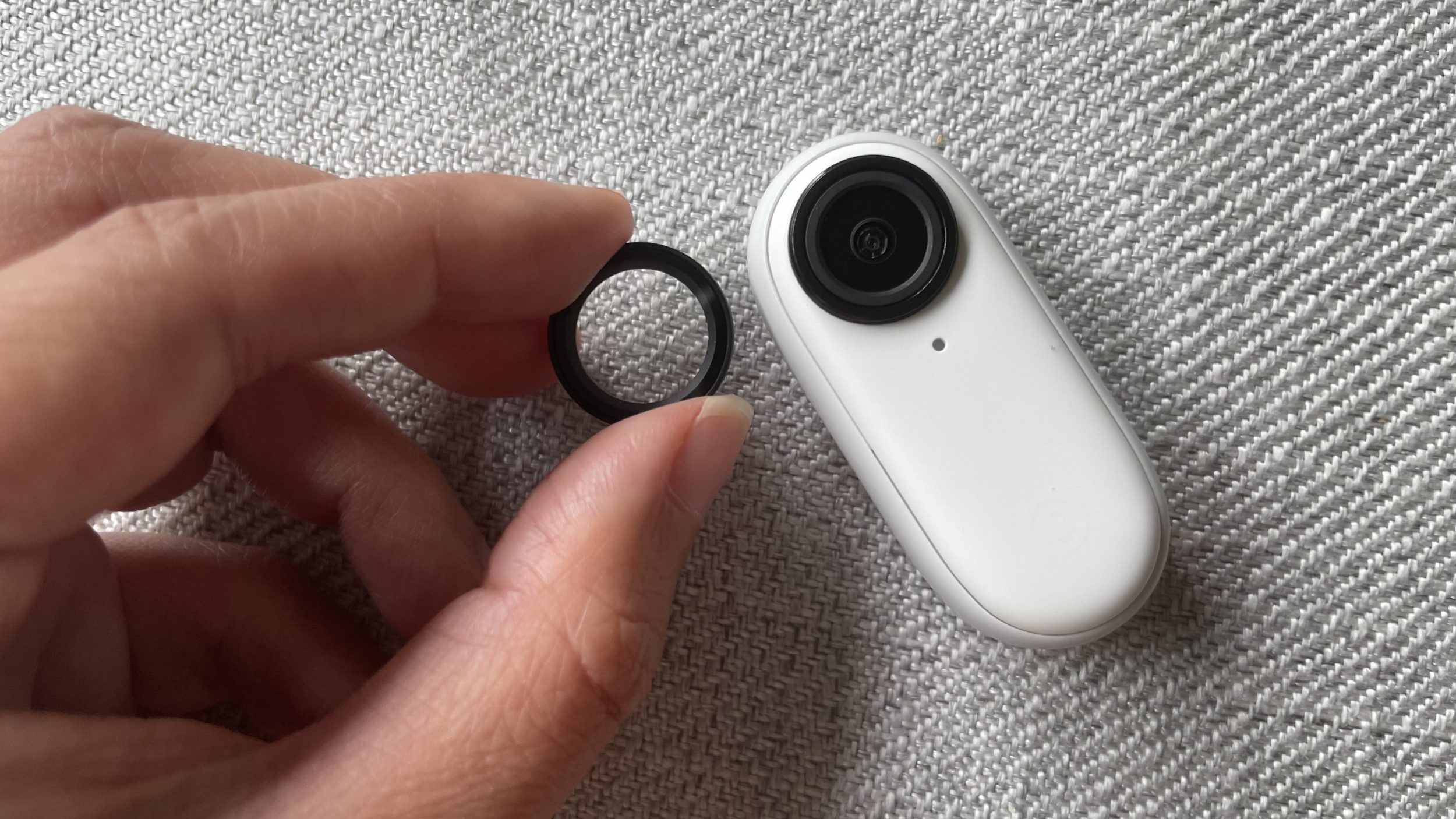
Since it’s an action camera, you might scratch the lens. So they thought of everything! A lens protector is screwed on and pre-installed. You can replace this lens protector for next to nothing. Ingenious!
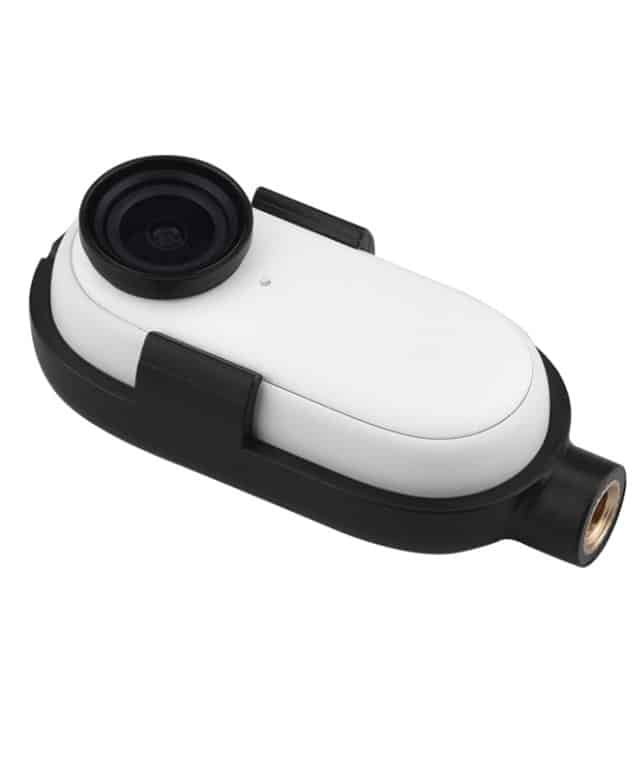
The case already has a spot for a 1/4″ screw so you can attach it to a taller tripod without any problem (if you’re not in the water). The only accessories I’ll buy extra:
- a silicone band (€12, Amazon link), to attach it more easily to Rosalie’s neck, my cat 😀 It will be lighter for her than the official necklace. Maybe I can make a headband out of it to film tutorials.
- I really like this mount with an integrated 1/4 screw for snorkeling (since the case isn’t waterproof, I need a mount to have a spot for a 1/4 screw. That way, I can attach it to a much longer pole and be closer to the fish, Amazon link). This system is safer, but JB prefers the official white mount, that’s why he lost the camera 😀
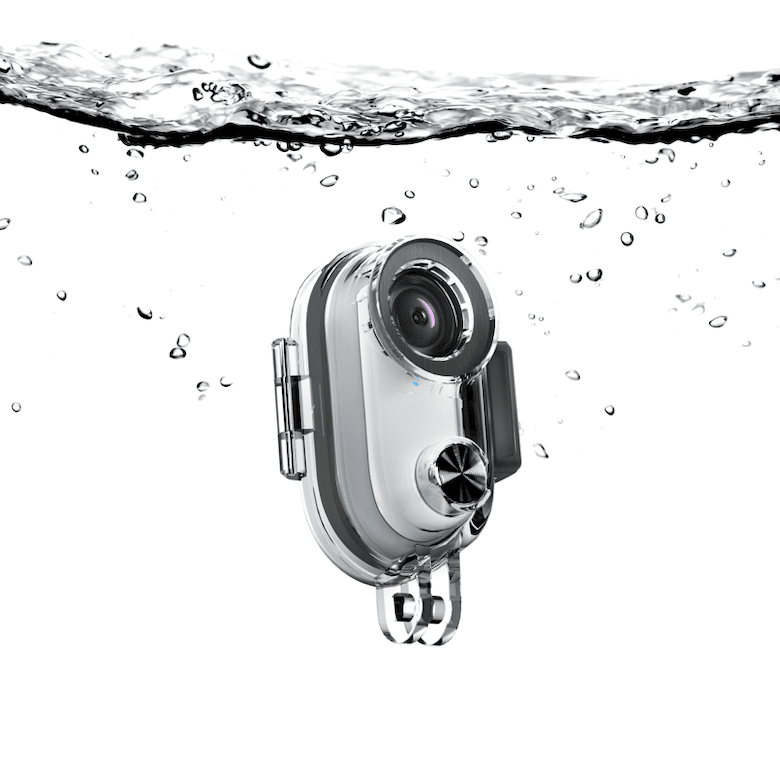
- So now, for JB, we’ll use the new accessory that allows lowering the camera to a depth of 30m (available only on the official Insta360 website for now, link)
Its discretion
This camera is still not very well known, and it’s so small it blends into the background. For those who don’t like to film and attract attention (like me), it’s the perfect tool! You can set it so that during recording, the light doesn’t blink at all, for even more discretion. You can see in our test video at the night market in Koh Phangan, that nobody noticed or looked at the camera. For even more discretion, you can buy stickers to make the whole thing all black, for example.
Its featherweight is unique: 27g
Practical
We’ve seen it before: it attaches to anything, anywhere. Thanks to its accessories (small and discreet) but also to its magnetism
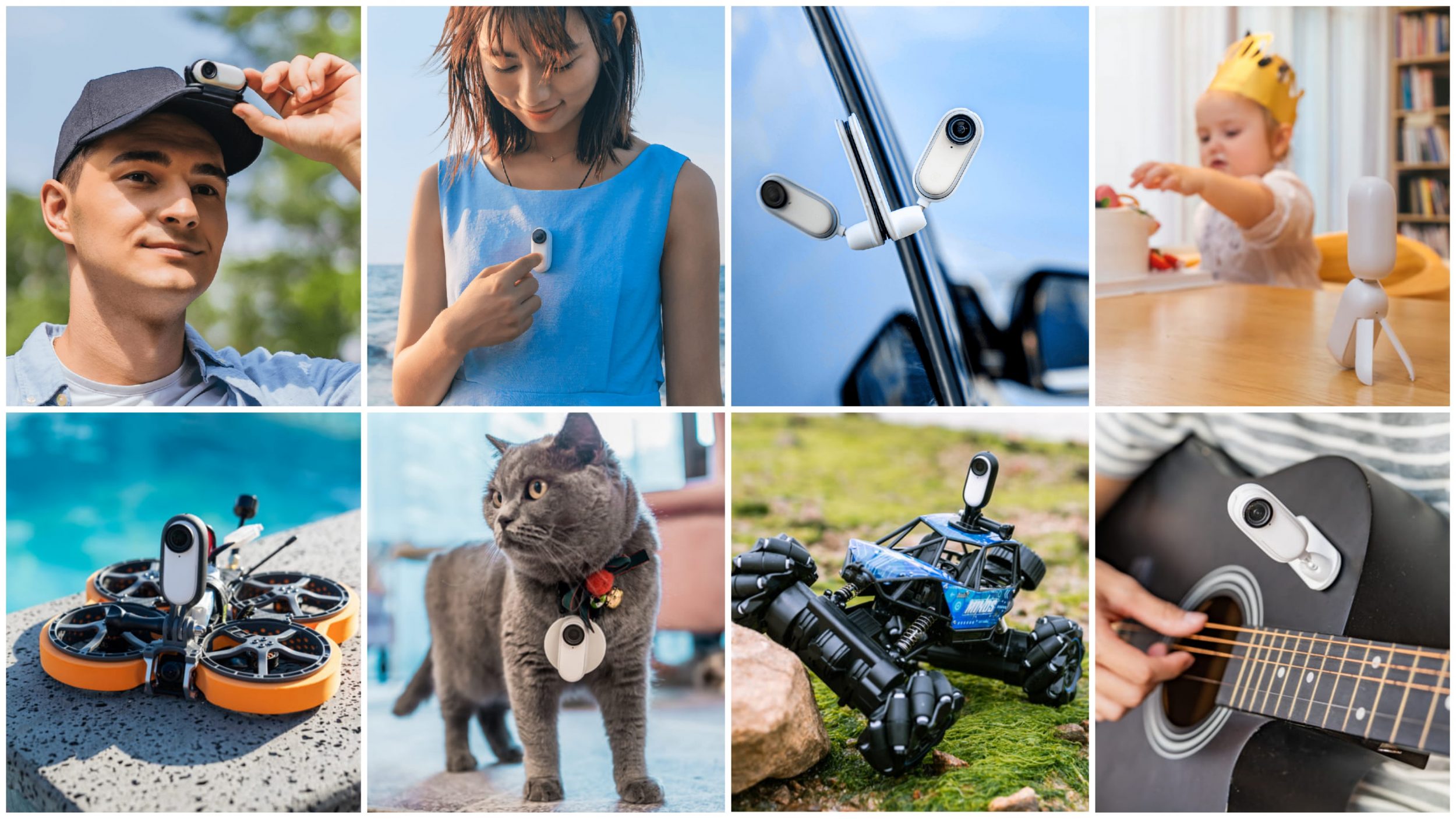
It offers an incredible immersive experience
It offers a point of view like in video games. You see what the person filming sees. You see everything in first person. This is particularly interesting for me as a traveler – and I rarely speak in front of a camera. I want to take you traveling with me and show you what I see, what I do.
The hyperlapse mode is super easy to launch. Unlike other devices where you have to adjust many things, here you get to it directly in just a few clicks, perfect for filming long car/scooter rides without any hassle.
Other strengths
Battery life: 30 minutes in FPV but in real life, it’s more like 9 minutes. That’s much better than the first version. The camera is rechargeable in its case, so theoretically you have enough battery for 150 minutes. If you’re a motorcyclist planning to film the entire ride, like with a GoPro, look elsewhere. But if you’re a vlogger, the clips don’t last that long anyway. And you’ll be moving around, stopping somewhere to look around, eat, rest… so the camera won’t be in use all the time, but it will stay in its case from time to time to recharge.
The app on the computer + the app on the phone: offer software stabilization that’s insane! I’m blown away! I have the gimbal on Osmo Pocket for physical stabilization, and the videos shot with the Insta 360 Go 2 give exactly the same result. Unlike some comments, I’ve never had any connection issues with my phone. Maybe because I also have the latest iPhone (iPhone 12 Mini, detailed review, Amazon link). iPhone connects seamlessly to the Insta 360 Go 2’s Wi-Fi, and I’ve been able to extract videos to upload immediately to Instagram, as well as do Live View (watching what I’m filming).
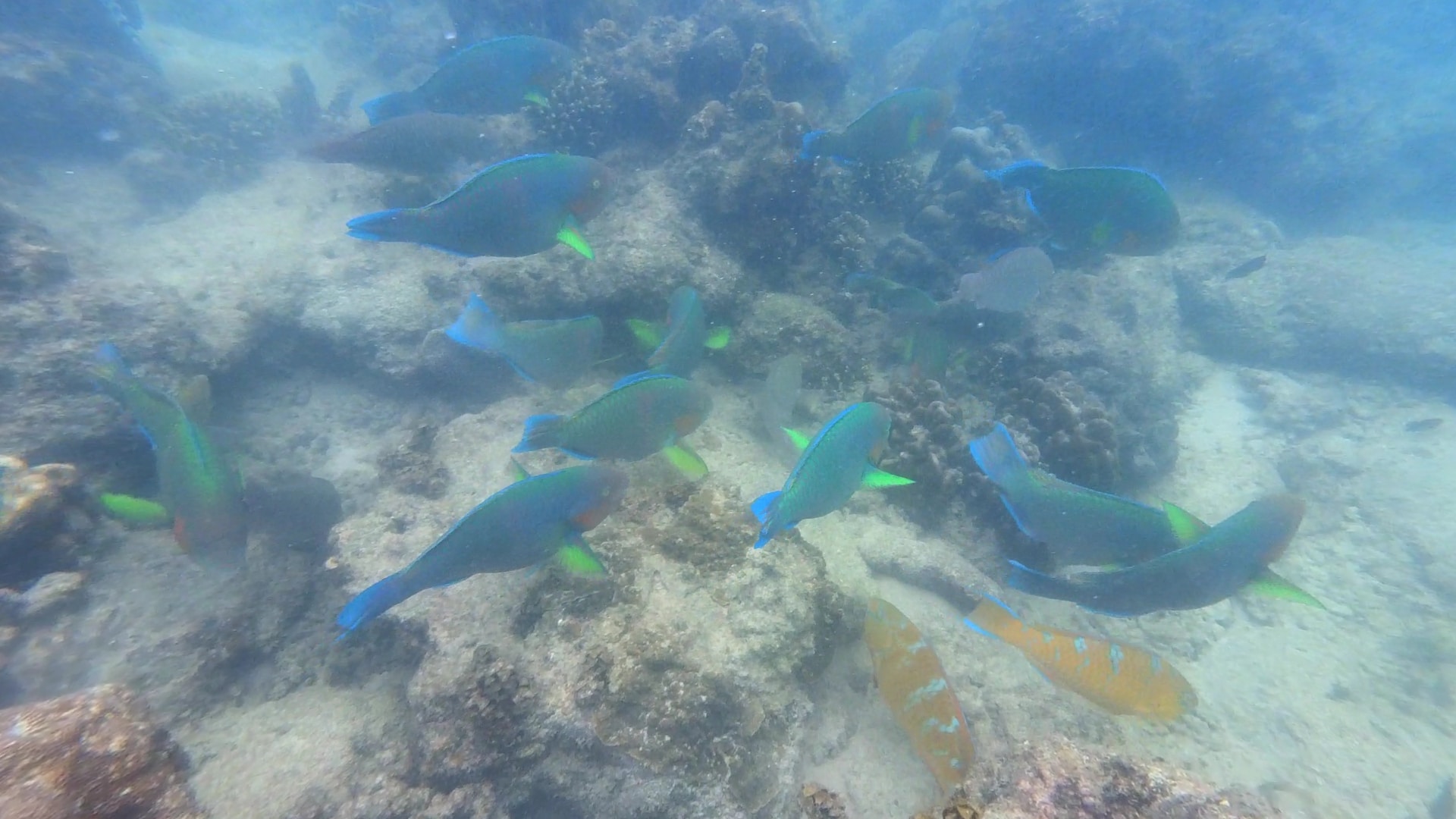
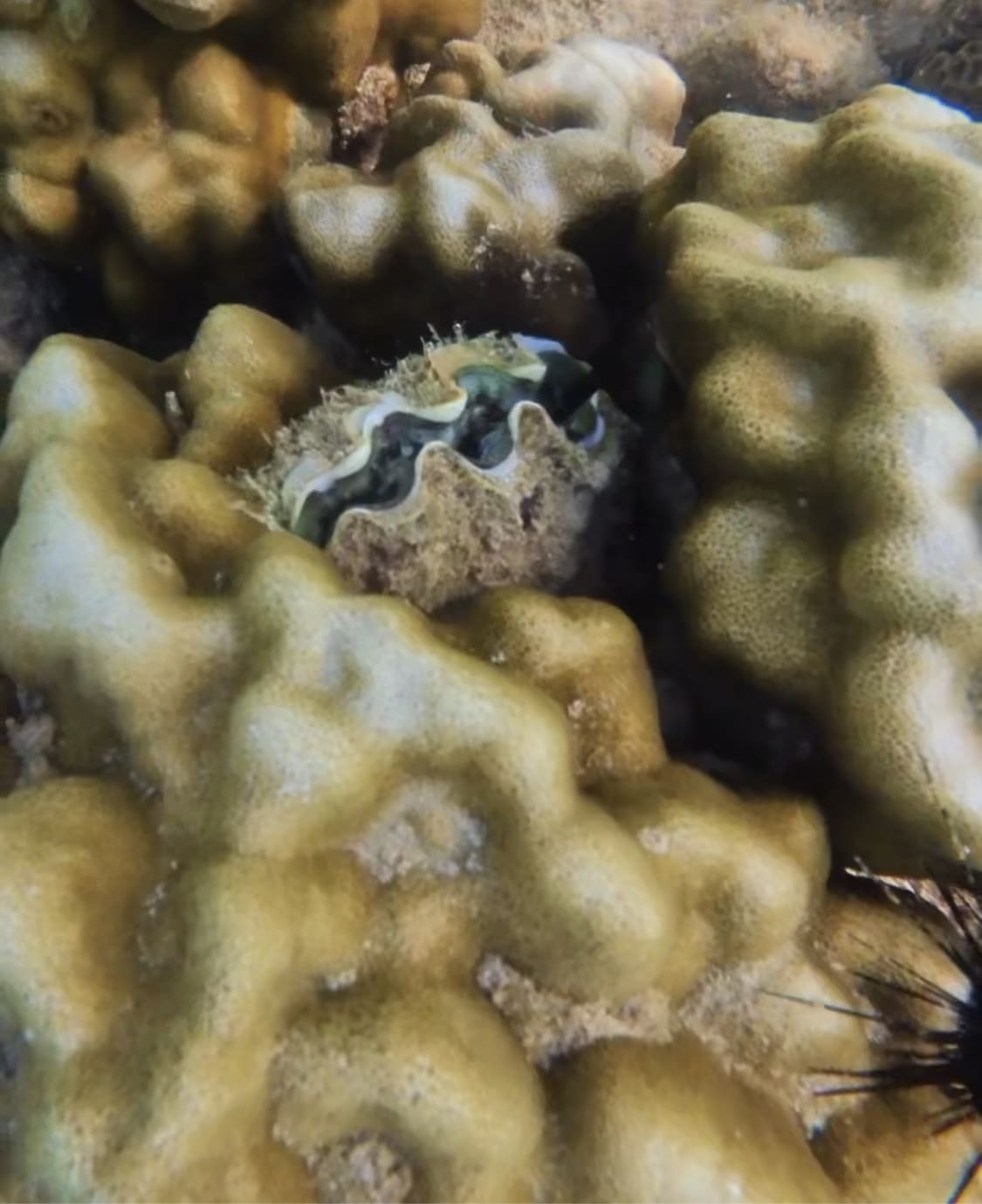
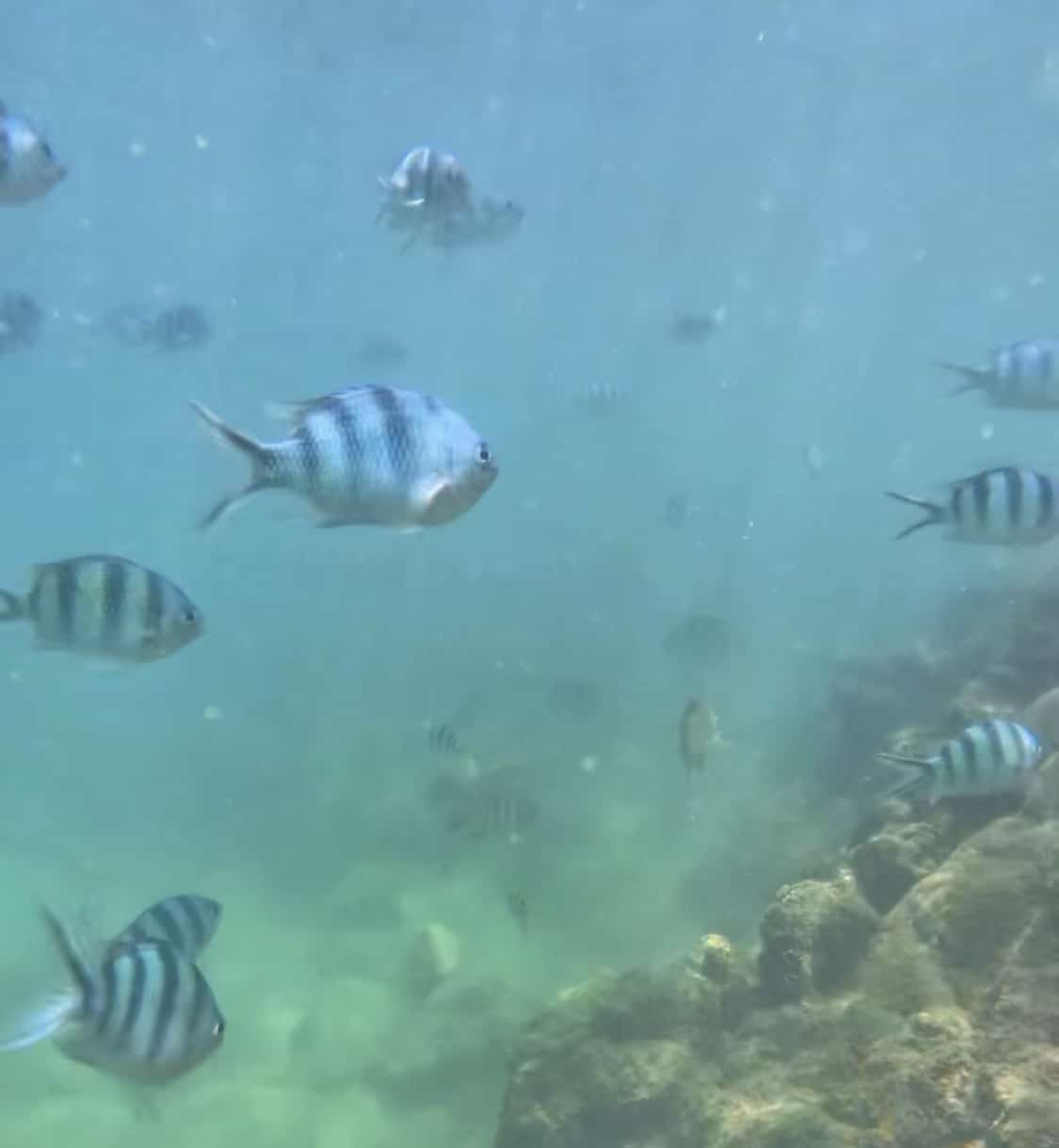
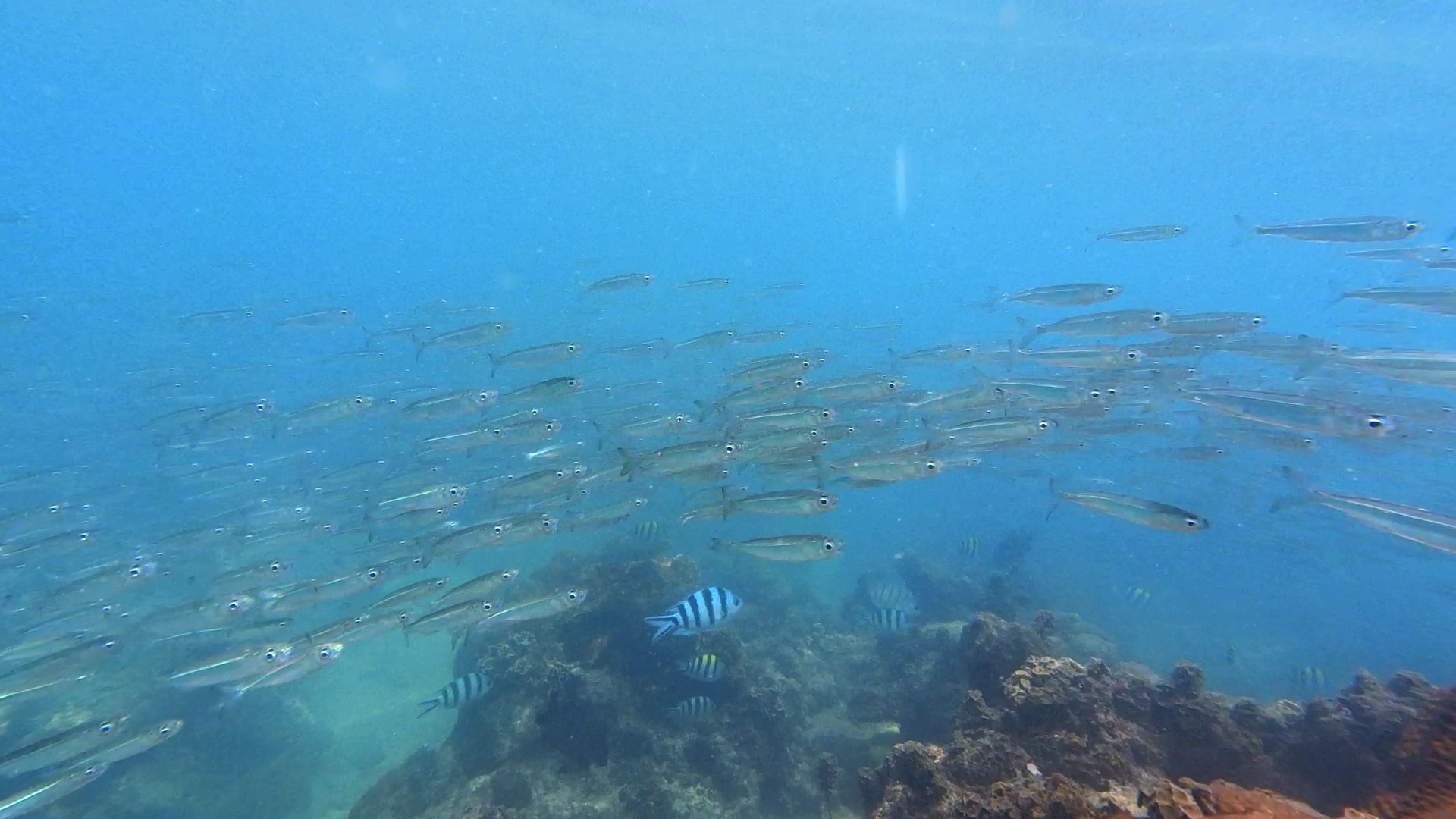
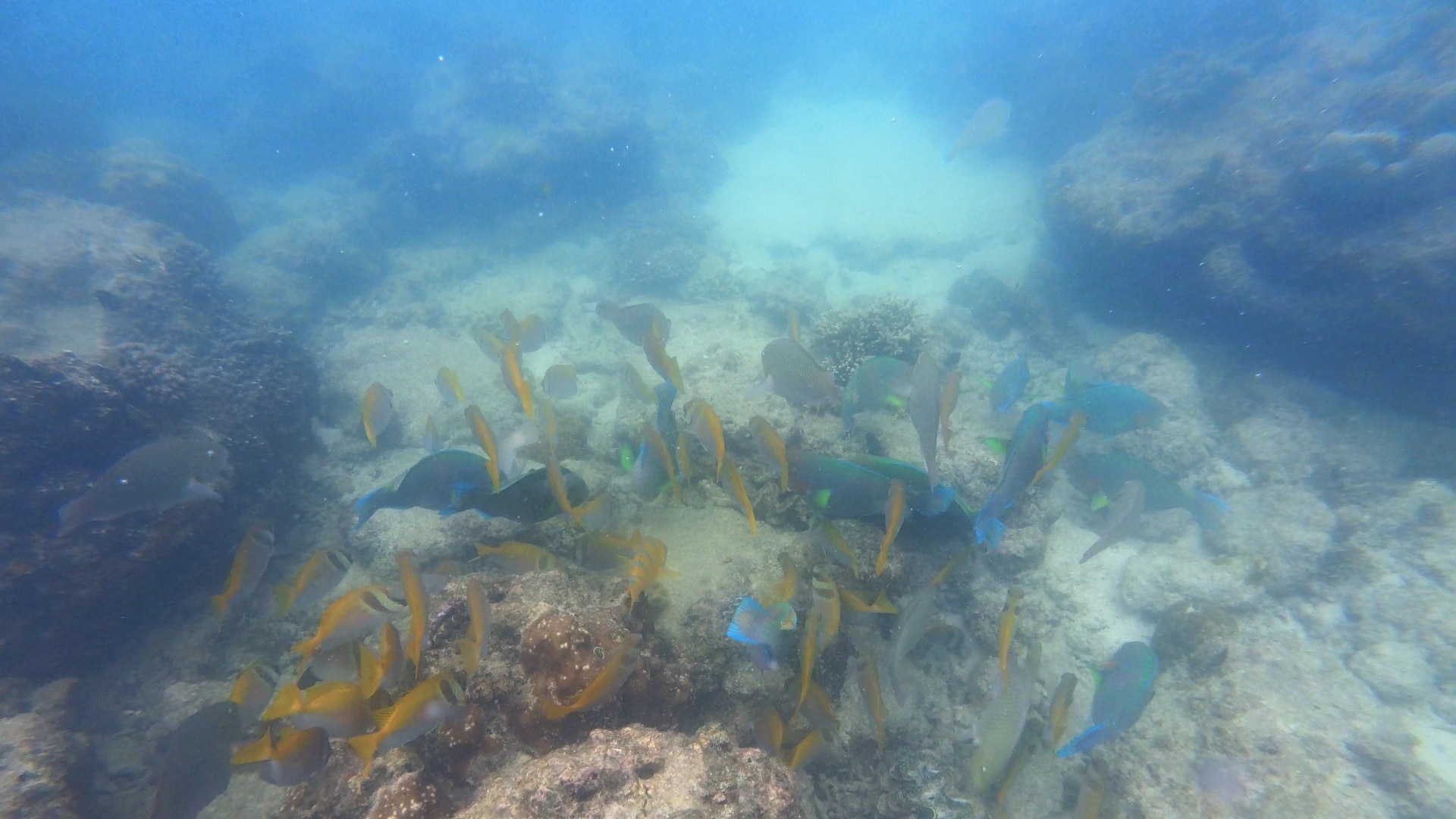
The camera (note: the camera, not the case) is WATERPROOF. And can go up to 4 meters deep. So it’s perfect for filming myself while snorkeling (I don’t scuba dive). Caution, you must keep the lens protector on at all times because without this lens protector, the camera is not waterproof. This lens protector is screwed on by default, but in case you think it’s a good idea to rinse the camera WITHOUT this lens protector, it’s not a good idea! After using the camera underwater, you need to clean it with fresh water, then dry it with a towel before putting it back in its case. You can use the included accessory to go in the water. Personally, I would have added a selfie stick to get closer to the fish. We’ll see.
I’m including two screenshots here. In reality, the original video is better quality than this.
The Horizon Lock keeps the horizon steady at all times. So, the video won’t be tilted. GO 2’s horizon leveling algorithms keep the video straight no matter what.
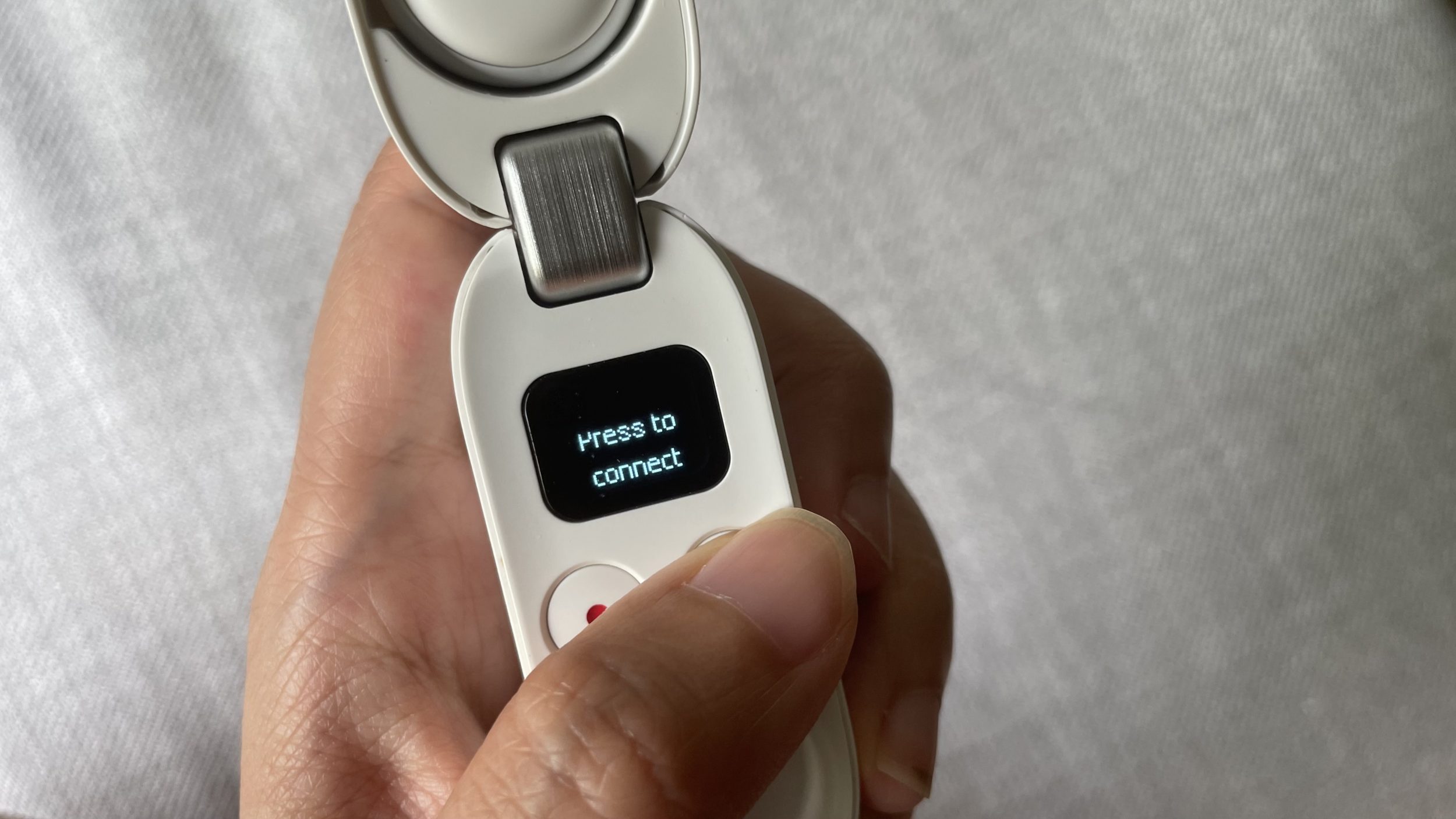
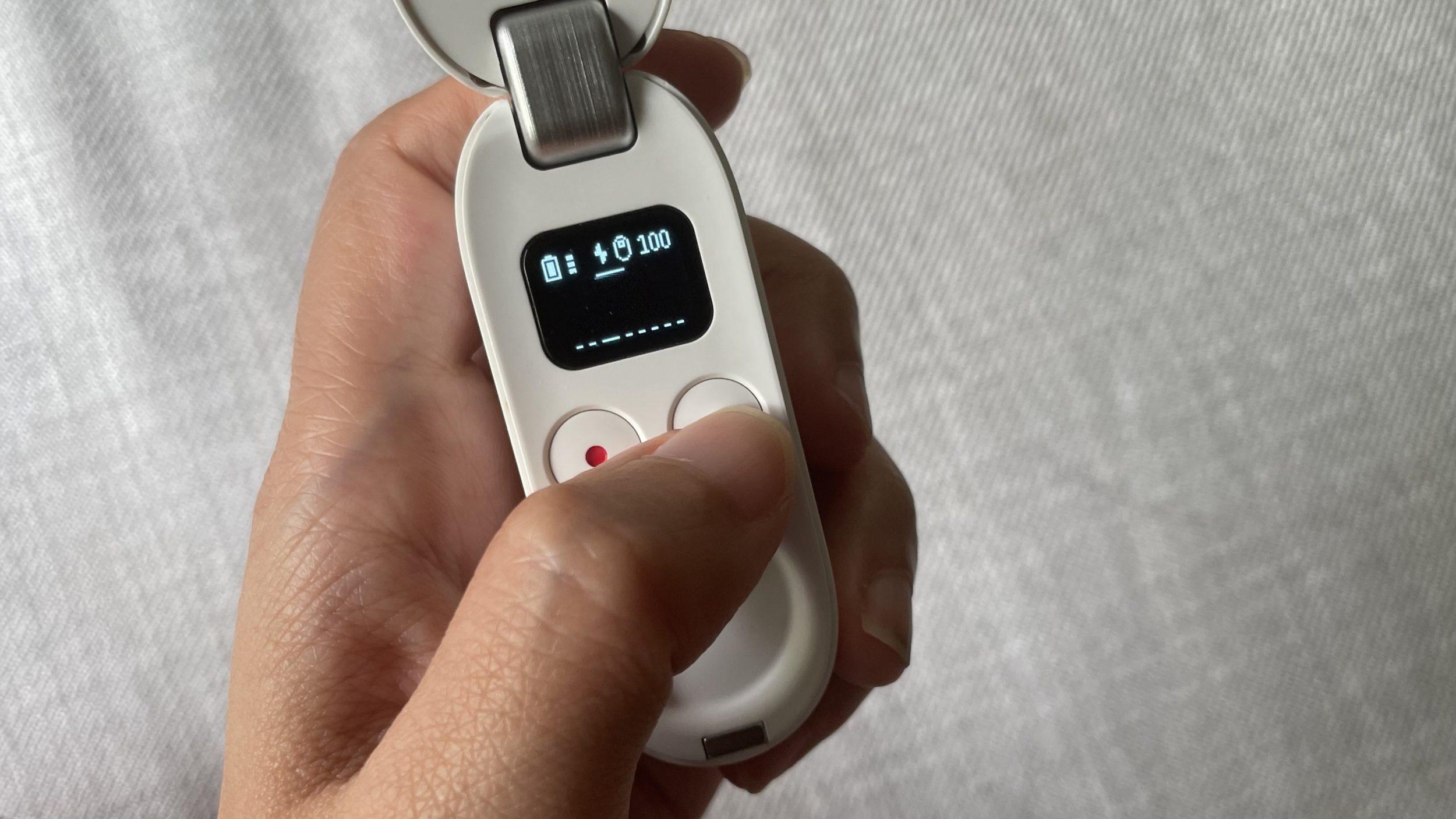
The case shows the battery level for both the case and the device. Connecting the device to the case and the phone is very simple. However, the range is only 2 meters. So the case needs to stay in your pocket if you’re starting the camera’s recording from the case. If you know the case will be far away (when snorkeling, for example), recording should preferably be started directly from the device.
For those who can’t be bothered with color grading: the built-in vivid mode gives beautiful images. On export, you can, with one click, make the colors even more vibrant.
All videos are already in MP4 format, and you can access them like a USB drive to transfer/delete/move files
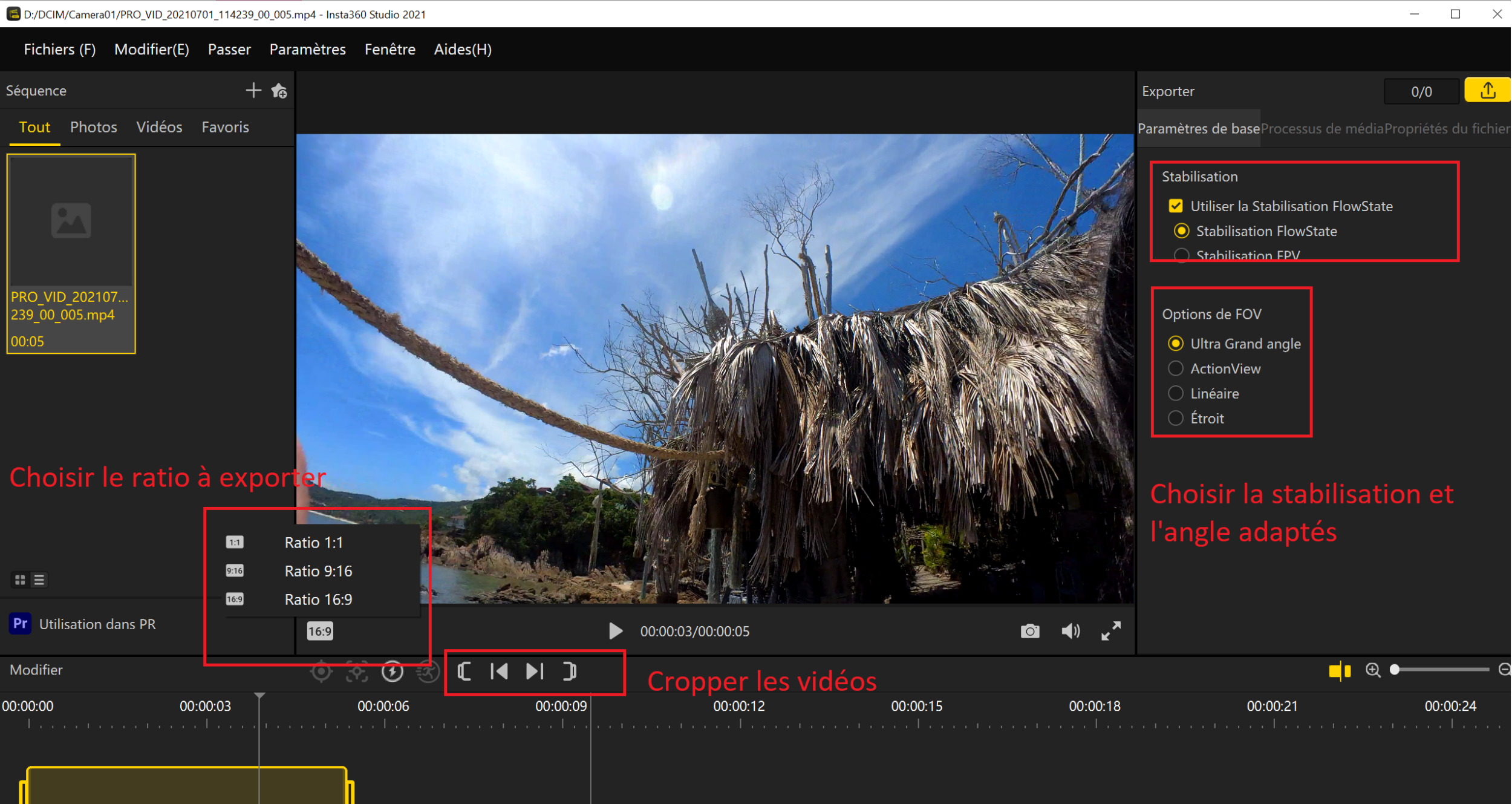
We’ve talked about it before: with PRO MODE, you shoot once and can export in different formats (for YouTube, Instagram, Facebook) and different angles (wide angle, linear, narrow). The angle isn’t a problem because you can always change it during export. It’s super cool because besides making sure to shoot in PRO MODE, there are no complicated settings to worry about. You can think about settings later, calmly in front of your computer, which allows for more spontaneous shooting.
Here’s a longer video to illustrate the immersive effect and the camera’s quality:
Being critical, and not wanting to overpraise them, here are the product’s limitations:
Limitations
- Videos shot in PRO MODE are in “fish eye” square format, so you need to export the format you want (16:9, 9:16, 1:1) and do the software stabilization first via the Insta 360 app. This adds an extra step to editing. On Windows 10, despite a powerful computer, exporting 12 minutes of video took 45 minutes! On less powerful computers, apparently, the computer crashes completely, and many people have complained about not being able to use the “fish eye” video directly in their editing software. Actually, if they can use it directly, they’ll lose Insta 360’s FlowState stabilization, and the video will be all shaky.
- Clearly, this camera is mainly for social media and phone use: the PC software is quite limited:
- you can’t edit directly on the PC app. That’s a shame. Because I would have liked, for example, to group all the videos into a single file, do a simple edit (cutting sequences as needed), and then export them in 3 formats: horizontal, vertical, square… so that one edit could be exported into 3 videos. But that’s not possible. If you have 10 videos and want 3 formats, you’ll have to export them all and end up with 30 videos. And do the editing 3 times. So yeah, even if you can shoot once, you’ll still have to edit 3 times if you want all 3 proper formats. I understand they don’t want to create a real editing software for PC, but it would have been a huge help.
- Editing is possible on the app on your phone. Artificial intelligence helps you edit with one click, but it’s not perfect yet
- By using the app on your phone, you can actually edit once and export in 3 formats
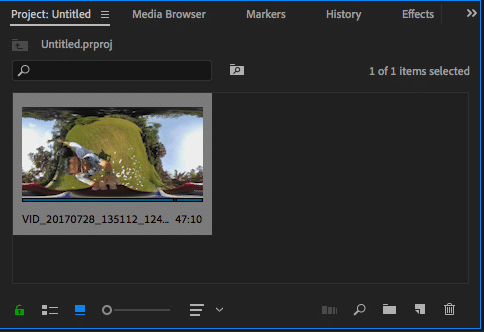
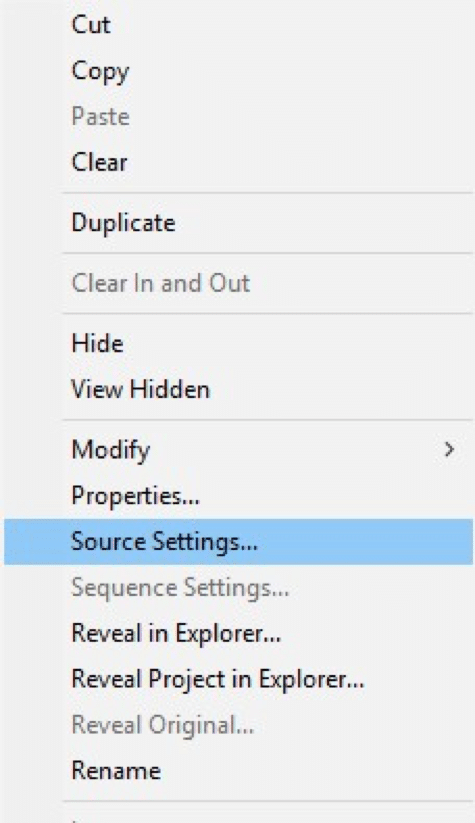
UPDATE July 14, 2021: you can edit directly without having to export the files as MP4, but only with Premiere Pro (an Insta 360 plugin is required). In “Source settings”, you can change the angle (Wide, Linear, Narrow). As for the video size, the default format remains 16:9
- No live streaming possible. You can do live view on your phone (and see what you’re filming), but that’s it.
- There’s No Micro SD slot (otherwise it wouldn’t be waterproof), so we’re limited to internal memory (28GB). That’s little, considering that shooting in PRO MODE uses 6GB for 10 minutes. Even if you can shoot for 150 minutes (battery life), you’re still limited by memory, which only gives you about 46 minutes. Personally, I rarely reach 46 minutes of recording. Even with non-stop visits, I’m at 30 minutes of video recording per day max. So for me, at least with my usage, this limit isn’t a problem. Besides, you can always transfer videos to your phone via Bluetooth if you run out of space and urgently need to shoot more.
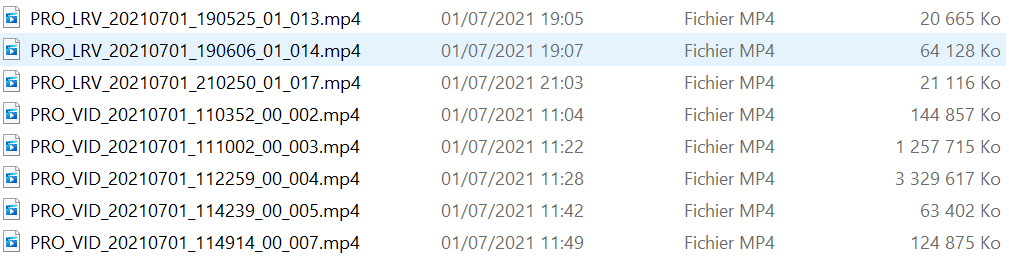
- For each PRO MODE video, a low-resolution copy is automatically created. Apparently, this copy is made to speed up transfer to the phone or PC editing, but the rendering file will use the full resolutionvideos. This low resolution file accounts for 5% of the original video size. That further limits available memory.

- Audio quality is very average: you hear the person filming very well, but not others. However, wind/noise reduction works very well. The audio you hear in the Insta 360 software isn’t great, but when you export the video, the audio is perfectly normal.
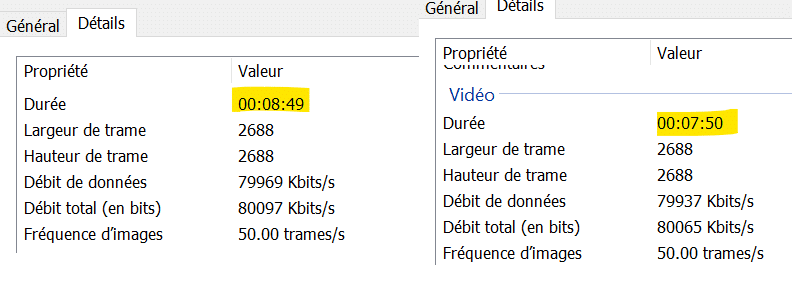
- When the camera runs out of battery, memory, or overheats too much, recording stops automatically. Even though the video is saved, there isn’t always a vibration to signal the stop. In PRO Mode, I’ve never managed to shoot more than 9 minutes 30 in a row. Either battery, memory, or overheating… will put an end to the shot. So with this camera, you have to restart it regularly, or be more selective with your shots. At the same time, it’s not very surprising given its small size.
- When putting the camera back in its case, be careful because charging isn’t always triggered automatically. If you don’t see the red light, you need to remove the camera and put it back in the case so it charges properly. One user suggested turning off the camera before putting it back in the case, so charging starts automatically every time.
- The camera heats up a lot, which is why you should always use the accessories to film, and not hold it in your hand.
- Very average quality in low light. The Insta 360 Go2 does much better than the GoPro 9, for example, but it falls short of what you could get with the Osmo Pocket or a smartphone like the iPhone.
- You can start recording or take photos by pressing the camera directly, but it’s so complicated with the “press once, press twice…” that I really don’t know what the camera is doing, especially when I disable the blinking light.. For example, I made a mistake and filmed in normal video instead of Pro Mode, so I can’t export the video in vertical mode. It’s simpler to do it with the case (remote control), but using the remote every time makes recording less spontaneous (it takes at least 7 seconds to connect the camera to the case, then launch the right program).
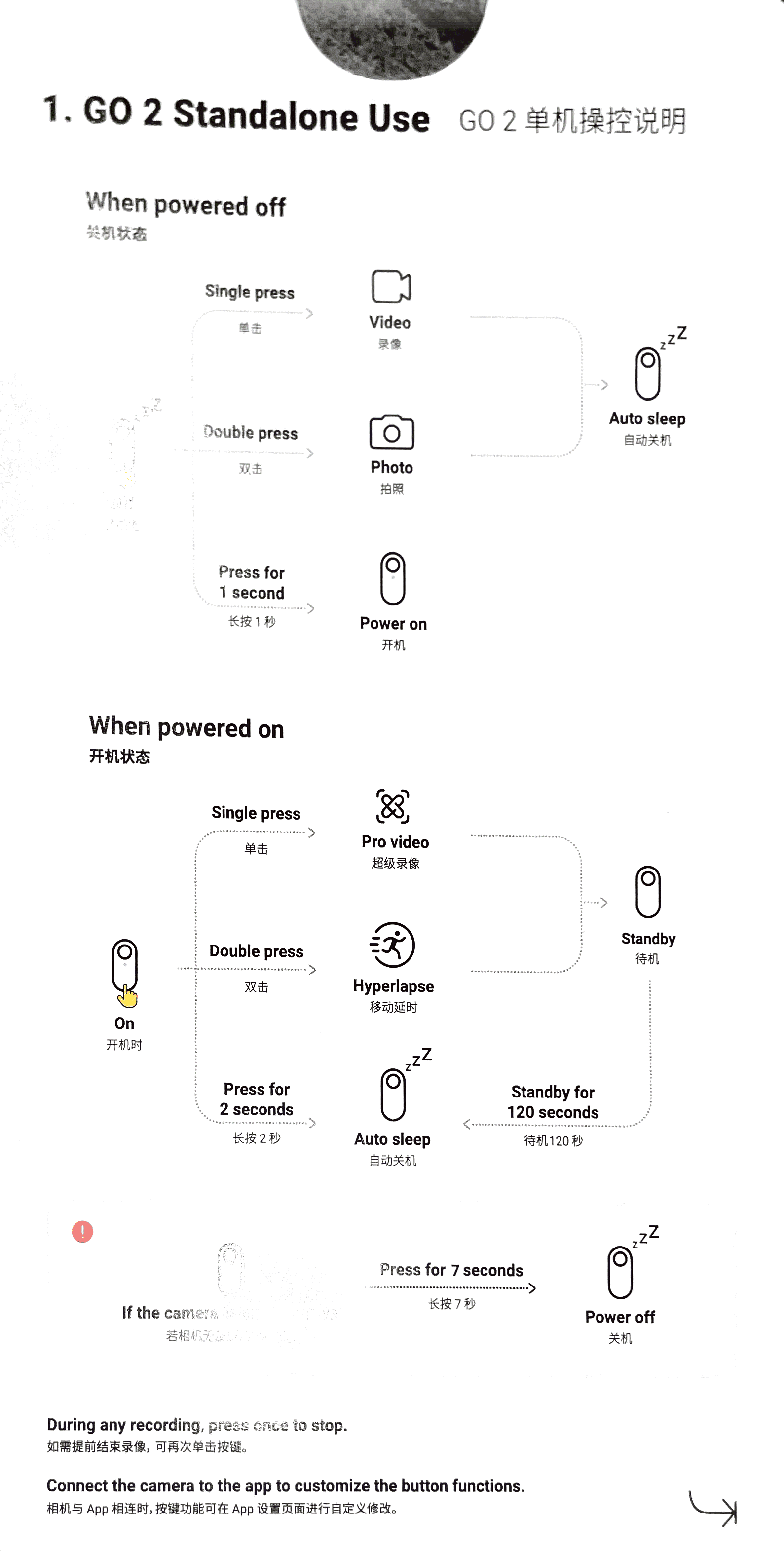
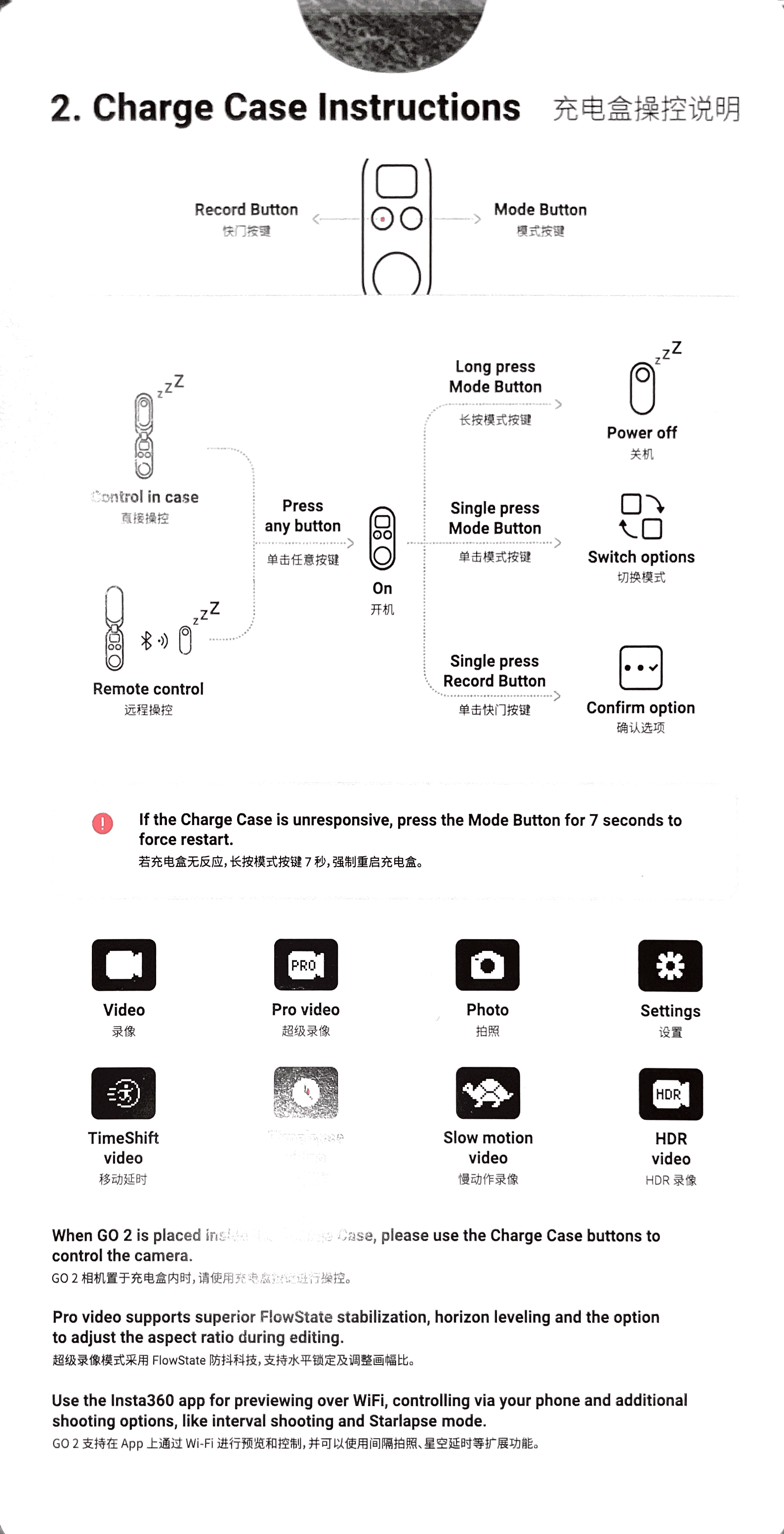
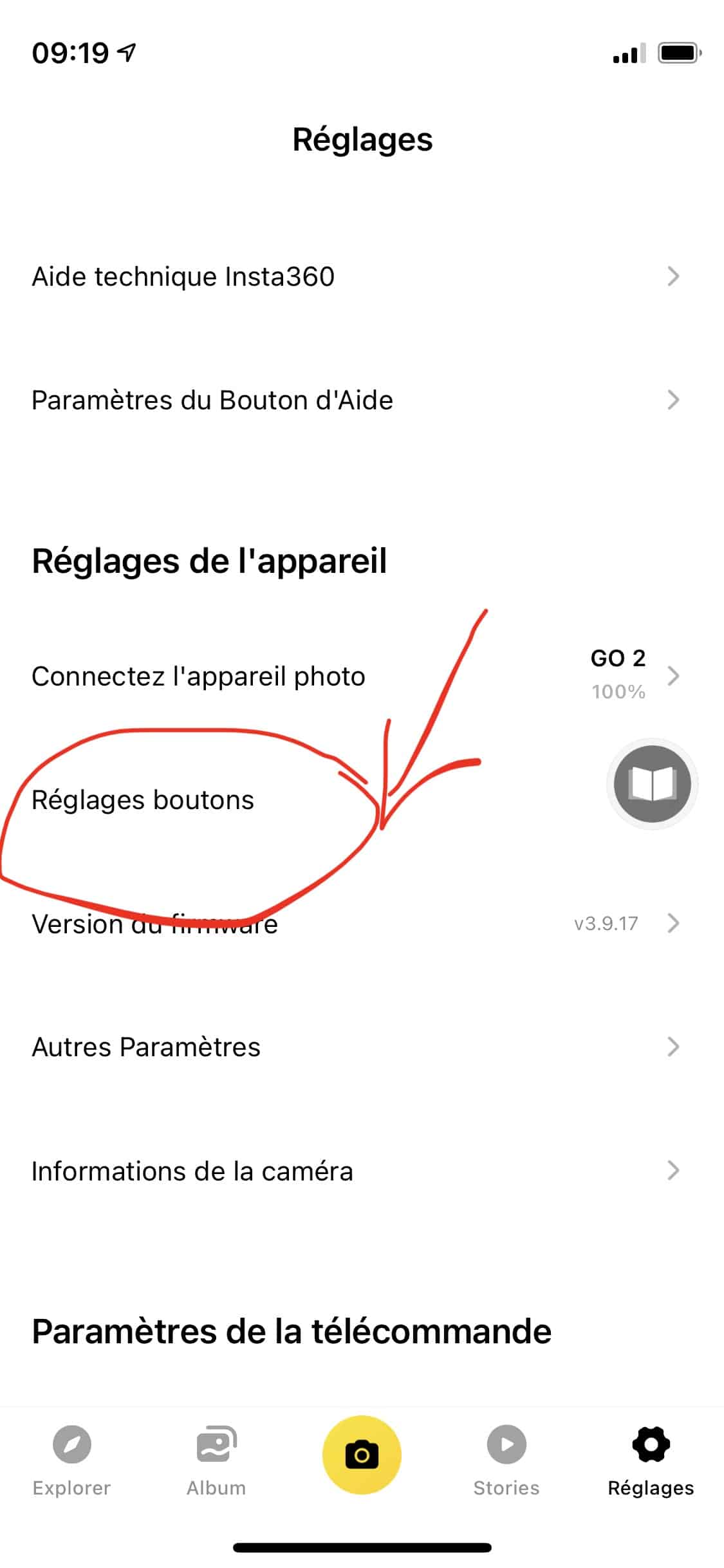
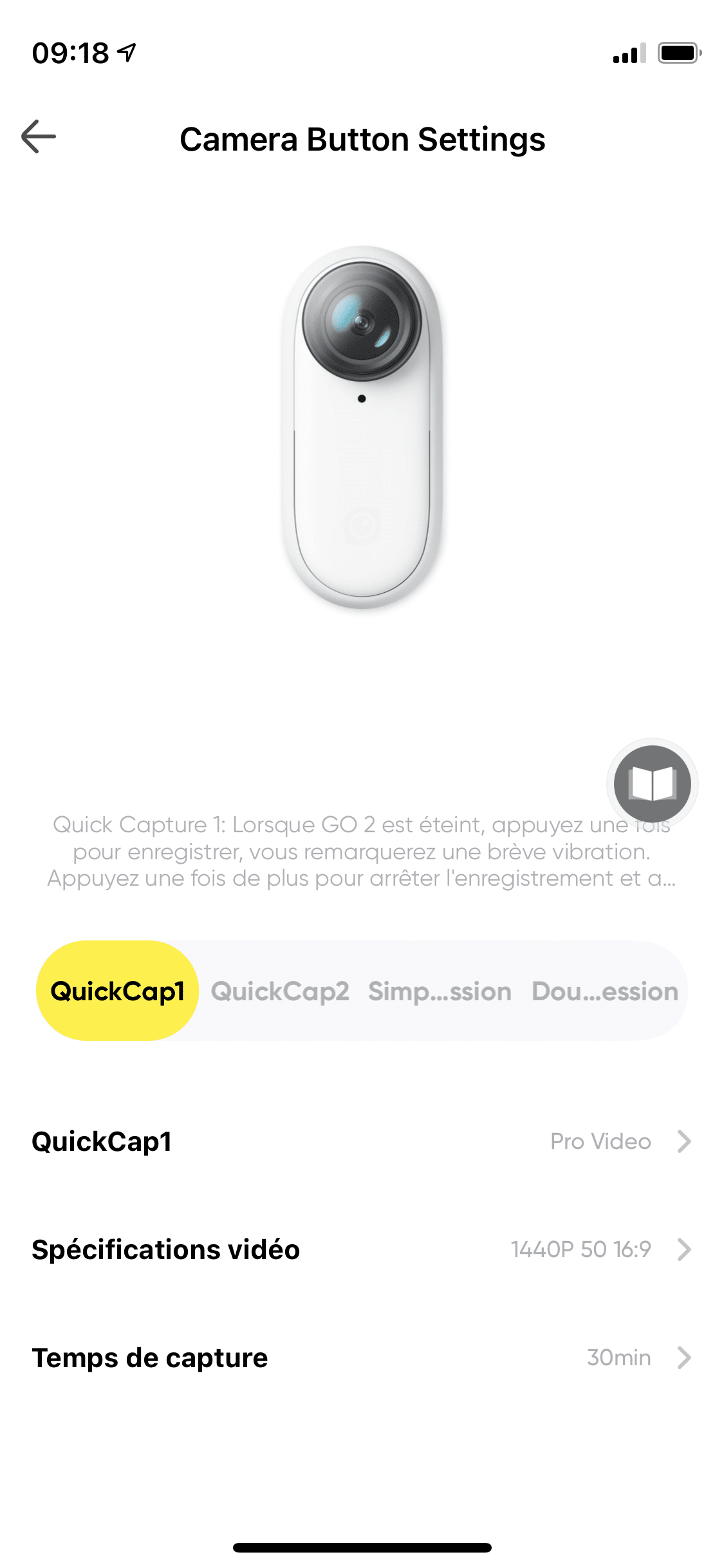
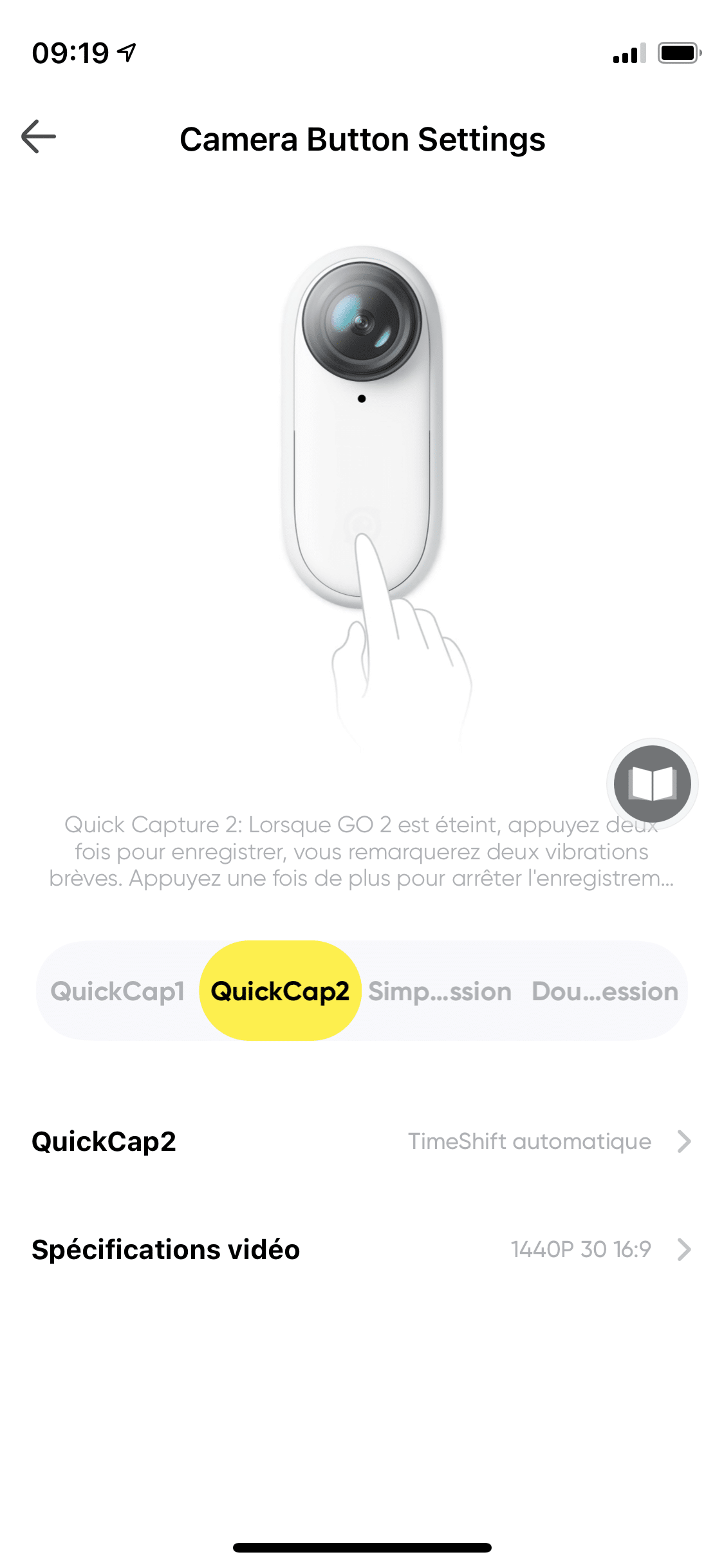
- So, to stop making mistakes, I reconfigured the buttons via the phone app, so that when the camera comes out of its case, one click = PRO MODE, two clicks = TIMESHIFT, the two modes I use the most. And it seems to work. It’s simpler this way! Since then, I take it out of its case, clip it to the necklace, and start recording with one click. Recording while connected to either the phone or the case (in remote mode) drains a lot of battery, so it’s recommended to trigger recording directly on the camera.
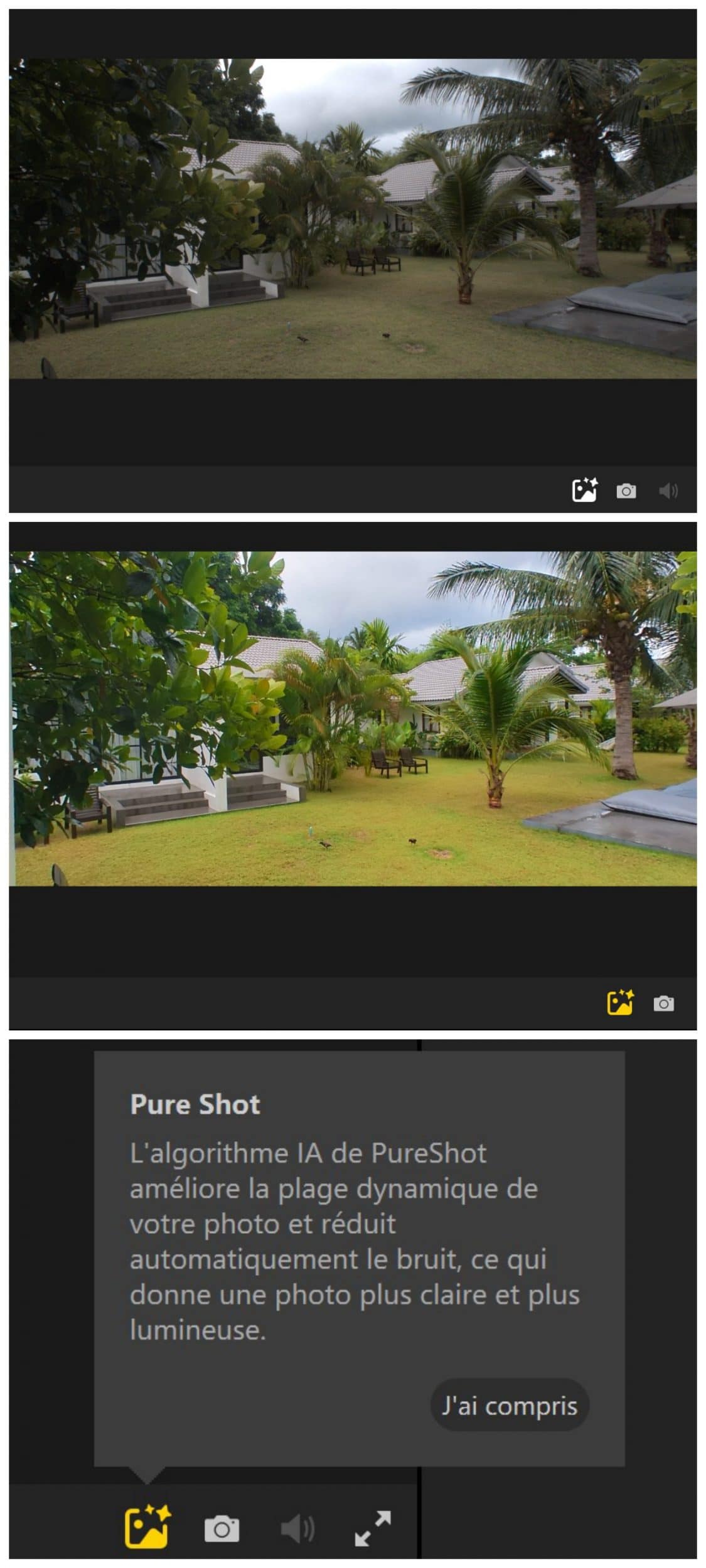
- Unlike some action cameras, you can’t program the device to take regular photos during video recording. So, I take photos afterwards. The PC app lets you take a JPG screenshot. It’s very useful, especially for my snorkeling videos. I don’t have time to film and take a photo at the same time when snorkeling. Unfortunately, the photo quality isn’t great either, even if the video was in 50fps. It’s fine for a YouTube thumbnail, but that’s about it.
- the photo quality is disappointing, especially when the sky is cloudy. Without PureShot (color grading software), the colors are super washed out.With PureShot, the colors are too fake. I find thatOsmo Pocket, by comparison, does much better, like a real camera.
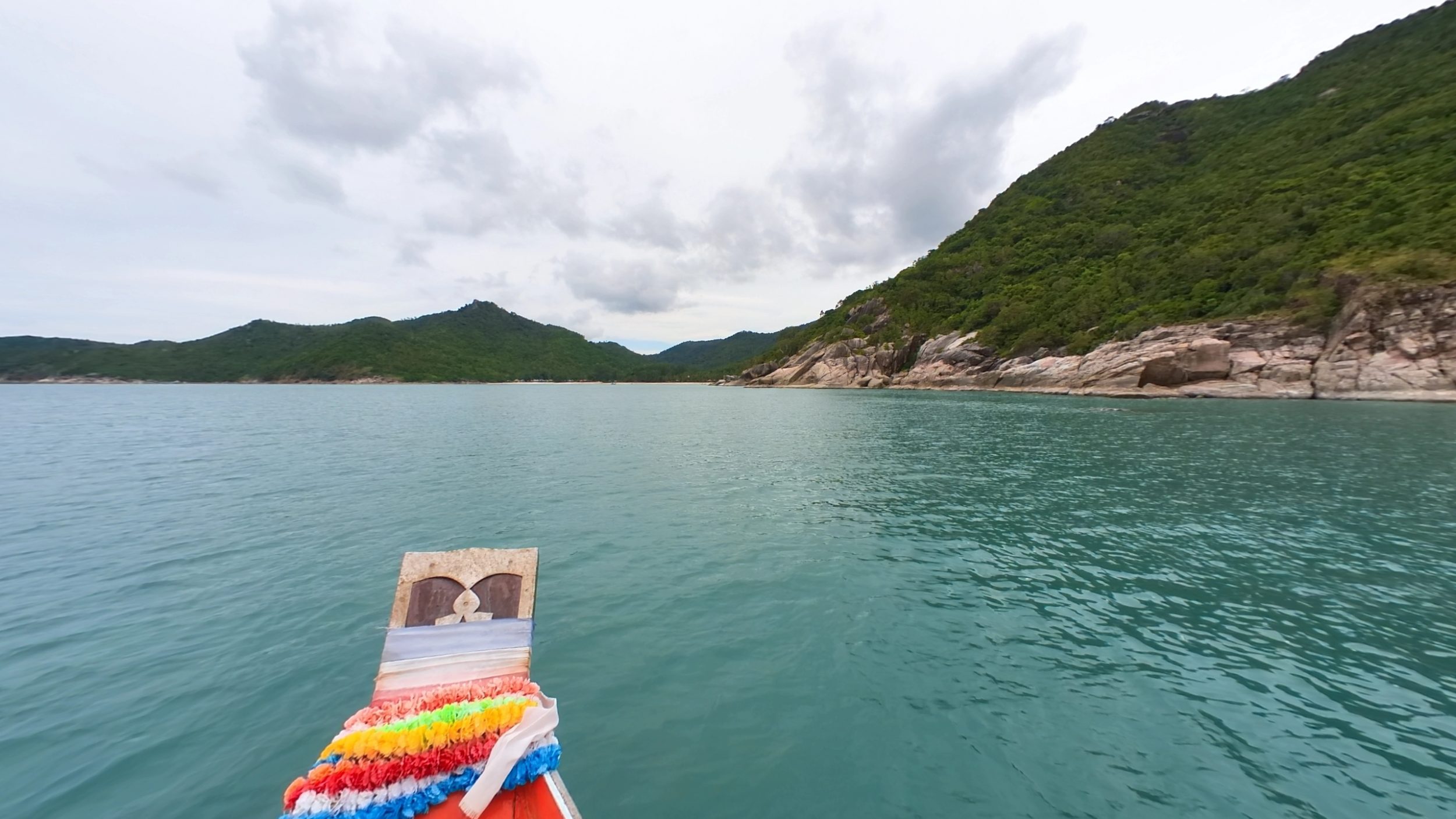
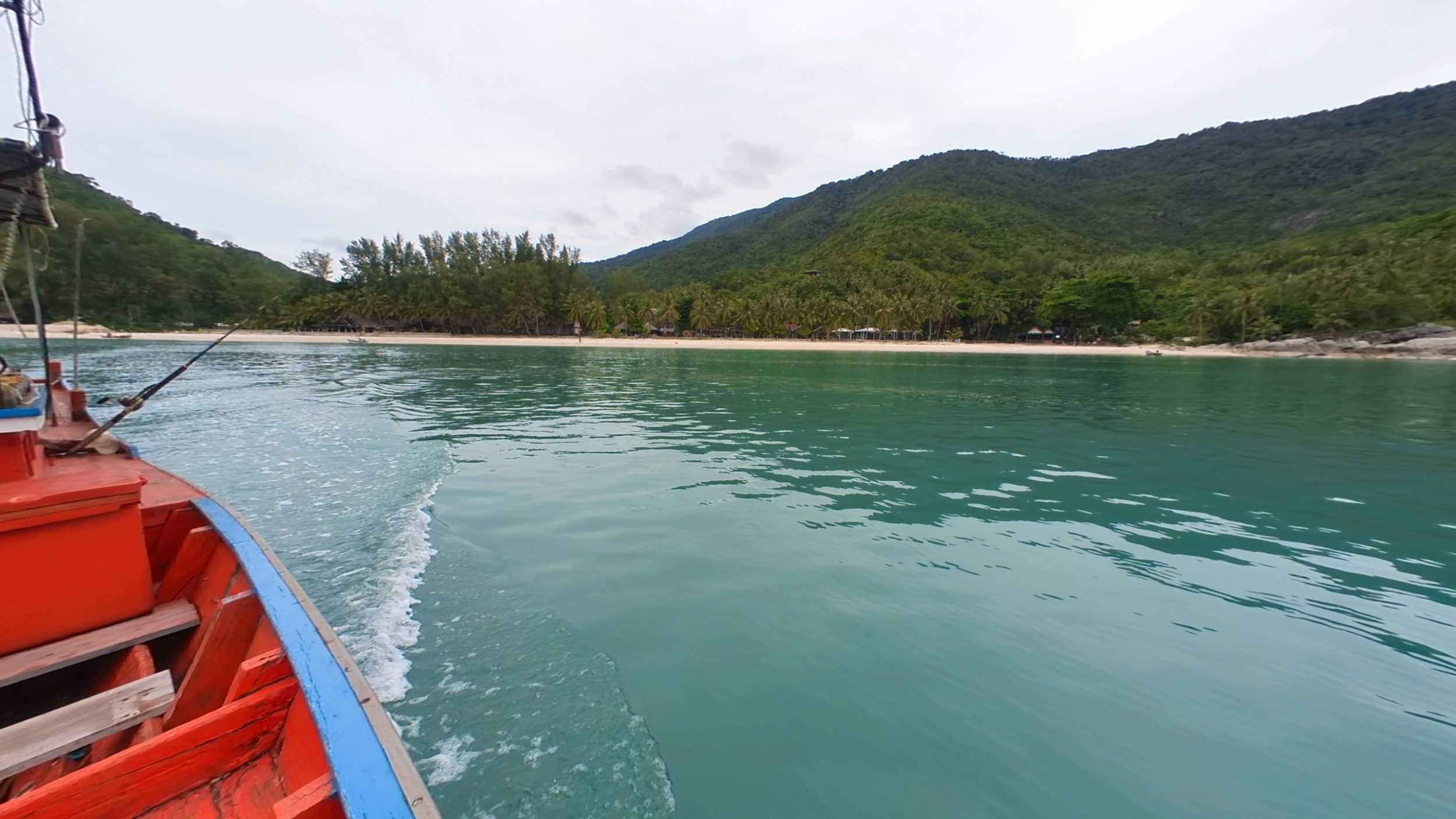
However, when there’s enough light, the quality is pretty decent. The two photos below are exported with PureShot (color grading software).
How much does it cost?
Having bought it in Asia, in Thailand from a reseller, I don’t know why but I only paid €270 (10,500 baht). I think he sells them under the table because he didn’t even want to send me an invoice! But he says I still have the warranty with Insta 360. Weird.
Due to the global chip shortage, the Insta 360 Go 2 is often out of stock, so preorder or order as soon as you see it in stock, it sells like hotcakes.
In France, you can find it:
- on the official site for €319 (Insta360 link, you get a pair of lens protectors free)
- on Amazon for €319 (Amazon link)
- at Fnac for €319 (Fnac link)
- on the Boulanger website for €319 (Boulanger link)
- accessories can be bought separately on the official Insta360 website
The package contains:
- 1x Insta360 GO 2
- 1x charging case
- 1x lens protector (pre-installed)
- 1x magnetic pendant
- 1x pivot stand (to attach to wall, mirror, or cars)
- 1x Easy Clip (to attach to hats)
- and 1x Type-C charging cable

Conclusion
And now, I can’t wait to film my tutorials for you, take you shopping at 7-Eleven, or take you snorkeling with me.
- I am very satisfied with this device, which opens up new opportunities and video ideas that I wouldn’t have been able to do without a ton of accessories.
- For travelers like me, its small size and discretion make it easy to take anywhere. The device and its case fit in your pocket. No need to plan ahead for a “shooting day.” All I have to do is have a full battery.
- Despite its limitations in memory and battery life, for my use case, it works perfectly for me.
- Contrary to the reviews I’ve read online, the magnetic necklace is extremely useful – as long as you don’t do any too intense activities
- The Insta 360 Go 2 is one of the 3 gadgets to put in every nomad’s pocket. I highly recommend them with my eyes closed