

How to charge the reMarkable 2?
As you’ve gathered from our articles, we’re big fans of the reMarkable 2. That doesn’t mean it’s a perfect product without flaws.
Among these weaknesses, there’s a certain fragility, especially when it comes to the battery.
You need to be especially careful about how you charge the reMarkable or you risk frying its battery.
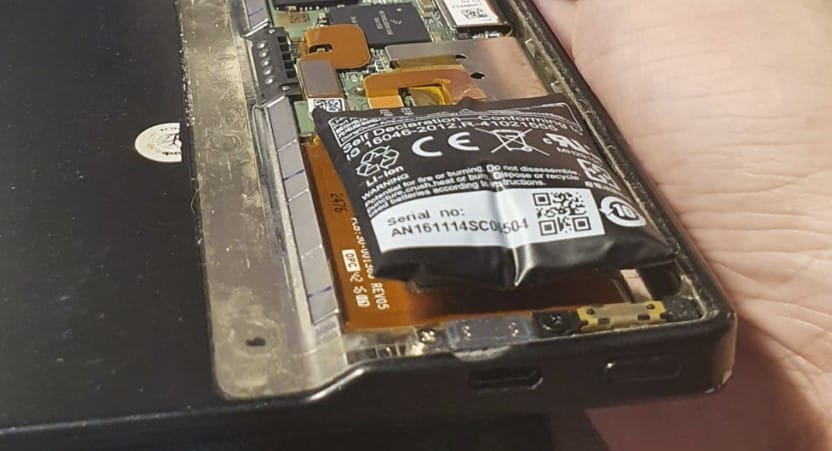
The batteries on these kinds of devices are very thin. If you charge too fast, the battery can swell and look like this (photo taken on a Kindle) – the famous battery swelling.
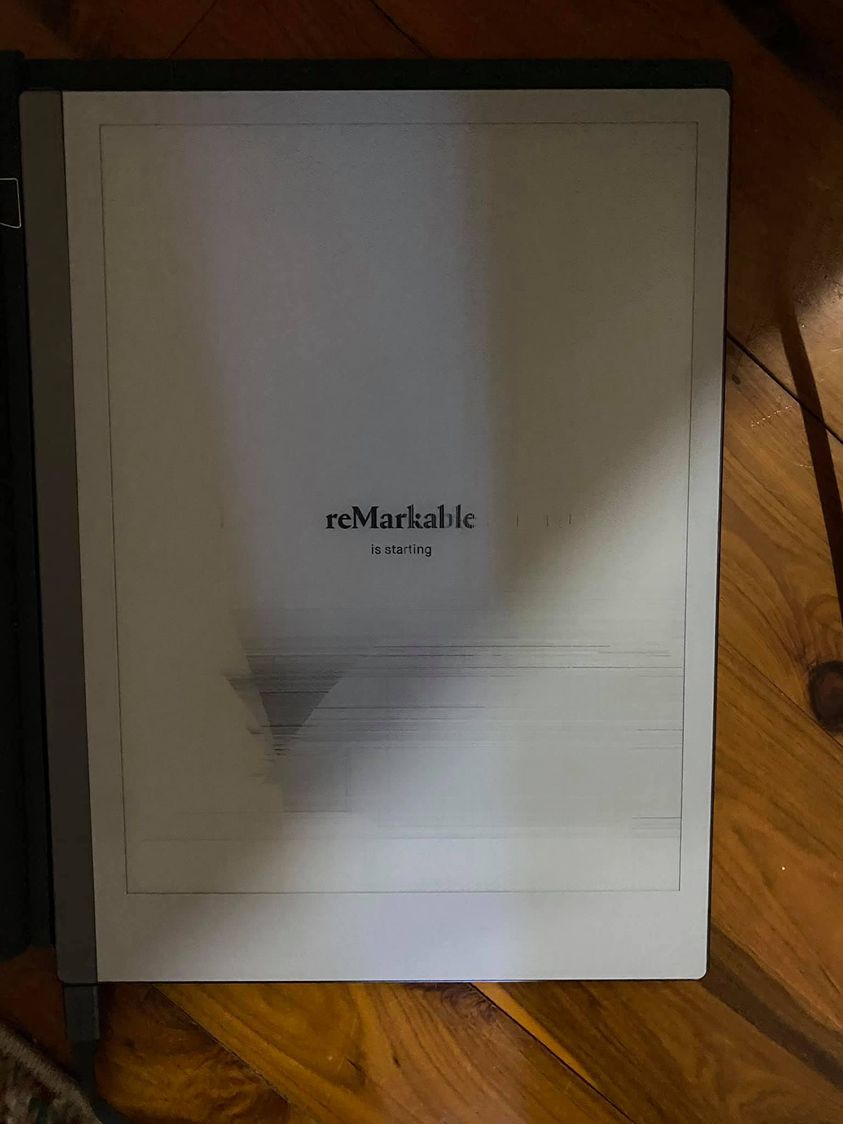
And if that happens, the screen will crack like this (photo taken from Facebook):
Of course, customer service might replace it, but it’s not automatic – because it’s also up to you to know how to charge the tablet properly.
Plug the micro USB cable end to the micro USB charging port and the USB end to a USB power plug (max 5V, 1.5A), or to your computer.
It must be plugged into a power supply of 5 volts, 1.5 amps maximum.
When users asked the reMarkable team more questions, here’s the response:
The USB cable included with the device is certified to meet the criteria of the USB-IF Compliance Program. Charge the device with the cable included with the device or with cables and power adapters that are compatible with USB 2.0 or later and meets the requirements of USB-IF Battery Charging Spec, Rev 1.2.
As long as your charger meets the following requirements then it should be okay:
max 5V
max 1.5A
The USB cable included with the device is certified to meet the criteria of the USB-IF Compliance Program. Charge the device with the cable included with the device or with cables and power adapters that are compatible with USB 2.0 or later and meeting the requirements of the USB-IF Battery Charging Specification, Rev 1.2.
As long as your charger meets the following requirements, everything should go smoothly :
max 5V
max 1.5A
The reMarkable comes with a USB-A to USB-C cable that you can’t plug into a wall outlet without an adapter.
The ideal is to plug it into a computer which will regulate the charging current itself with the included cable from reMarkable.
If you don’t have a computer to plug it into, you’ll need to be especially careful about the wattage of the adapter or charger you use, making sure it doesn’t exceed the maximum current (it’s indicated on the adapter, so read it carefully!).
Note: don’t ask me if such and such adapter is compatible. I’m not a seller or manufacturer of adapters. I plug my reMarkable 2 into my computer and everything went smoothly. I don’t leave it charging overnight but often check the charge to make sure it doesn’t overcharge/overheat.

