

How to Translate an Entire Book with OpenAI API and ChatGPT
This article is aimed at geeks.
I’ve always thought it was unfair not to have access to every book in the world, just because a tiny fraction is translated into one of the languages I speak. I discovered DeepL and Google Translate, where you can simply drop a file (docx or pdf) for instant translation.
However, the Vietnamese language is not very well supported on these two platforms, and I’ve been looking for an alternative to these two tools for a long time.
A few days ago, I realized that the translation from GPT4 was extremely accurate compared to GPT3.5, DeepL, and Google Translate.
I tried uploading a pdf file and getting the translation in one click, but ChatGPT snubs files that are too large and only wants to translate one or two pages. I asked JB if he could code a program for me to translate my Chinese books, but he replied that it wasn’t his priority at all. I tried going through a paid site (using OpenAI’s API, but they wanted to charge me $200 for the book translation). So I took my keyboard, my computer, and coded it myself.
Well, I coded “myself,” helped by ChatGPT. I wrote prompts to describe the functions I want. In short:
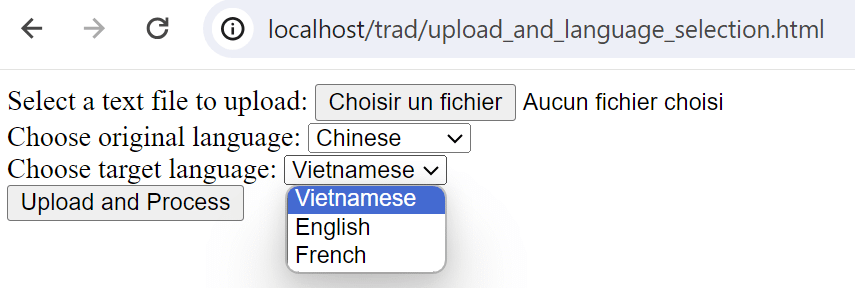
- A small web interface to upload the source file (.txt) and select the source language and target language from a defined list. I chose .txt because for now, I don’t feel capable of handling a faithful copy of the book to translate with images (pdf, epub, etc.). A text file is very simple, very good.
- The text to translate must be divided into several paragraphs. Maximum xxx characters. Cutting into small paragraphs allows bypassing the limits of calls and tokens per minute. These data (xxx characters) still need to be tested on my side to find optimal values, so it goes fast, costs less, while respecting processing limits.
- Paragraphs are sent in batch mode to go faster.
- The translation is stored in a .txt file, updated as soon as a new translation arrives. Thus, if the program crashes, we’ll still recover the already translated part, and we’ll know thanks to a second .txt file where the translation stopped.
ChatGPT therefore generated several pieces of code for me, which I corrected by giving feedback or clarifying my request. I ended up with an .html file and a .php file.
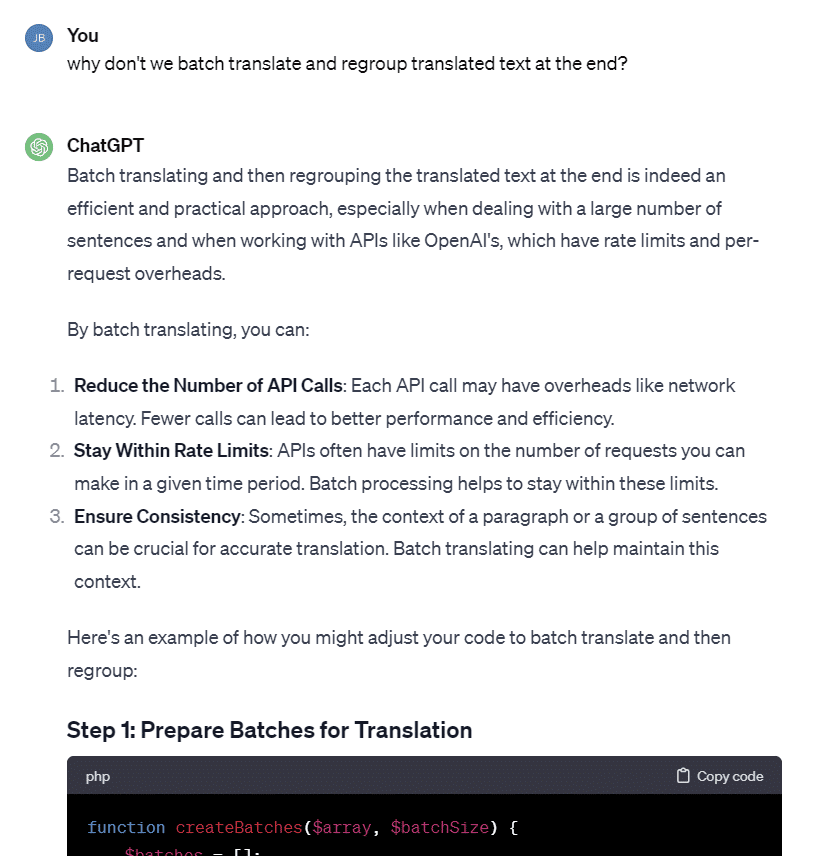
Since I had to reinstall Windows a few days ago, I no longer have any software on my computer. After getting the two codes, I had to:
- Install Sublime Text (for coding)
- Install Wampserver
- Install php
- Install Composer
- Install Guzzle HTTP Client
- Install CURL, and the dependencies, get the cacert.pem file
All this was guided by ChatGPT because for each error message, we know that you need to install something.
Then, I went to OpenAI to generate an API Key. It’s super super simple, honestly, I had 100 times more trouble with the Google and Bing API, here it’s even too easy.
I had to pay $10 (+$2 in taxes) to get access to the API. $5 is enough, but hey, I know I have a lot to translate…
Result
A few hours later, here’s the result: The interface (html file) to upload my .txt file.
The translation generated on the interface. But I also have a translated .txt file locally.
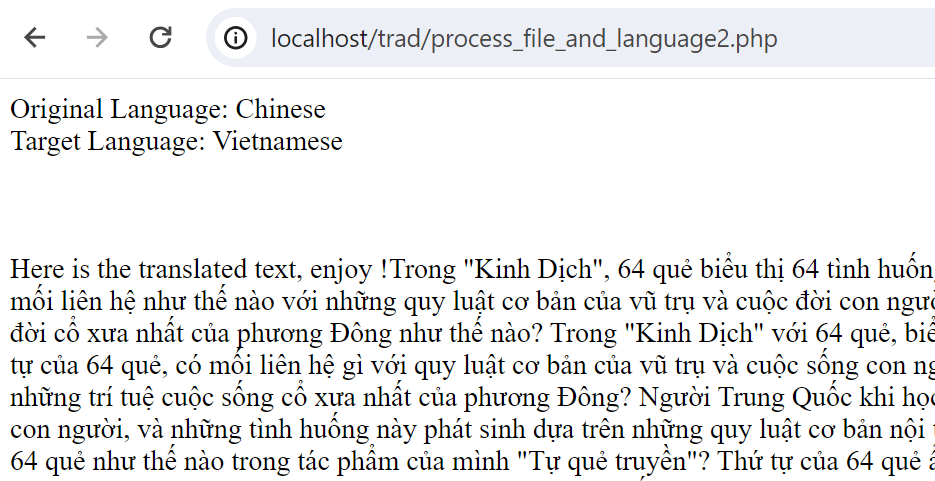
You can see that everything is local because it’s a script made for me, I’m not going to put it online.
The rates
At first, I tested with the model gpt-3.5-turbo to pay less, and despite all the tests, I only paid 1 cent. On the other hand, the mini tests with the model gpt-4 cost a lot more, you can see the cents ticking away. However, the translation is really better, it’s a pleasure to read.
By my estimate, it cost me about $2 to translate 4000 Chinese characters, that is, 28 pages, using the model gpt-4. That’s because I segmented too much at the start. And the prompt also consumes tokens. The more I segment, the more I repeat the prompt, and it gets expensive.
Then, I saw that gpt-4-1106-preview provided the same translation quality, at 3 times the cost. The only downside at the time of my test was the ridiculous response limit (just over 4000 tokens), so I had to segment my text accordingly. Note: this limit has been greatly increased since then.
After better segmenting my text (500 Chinese characters per request and 4040 total tokens per request) and switching to gpt-4-1106-preview (3 times cheaper), I pay about $12 per book (an average of 134,000 Chinese characters per book, with each Chinese character translating to 4 Latin characters on average).
That’s still okay, knowing DeepL would have charged $8 for a French translation, and Google Translate $0. But it’s a book close to my heart, and I didn’t quite understand the translation from Google, so I’m willing to pay a bit more to have access to the knowledge.
It took me a while to find the OpenAI API URL and models because ChatGPT wasn’t giving me the right one. Here they are:
$url = 'https://api.openai.com/v1/chat/completions'; // URL for OpenAI API
$data = [
    'model' => 'gpt-4-1106-preview', // Specifying the model
    'messages' => $messages,
    'max_tokens' => 4040 // Adjust based on your needs
];
The batch sending code didn’t work well; I’ll look into improving that later. Without batch sending, unfortunately the translation is quite slow: 1 minute per page, so 133 words per minute.
gpt-4-1106-preview is cheaper than gpt-4, but at the time I used it, the limits were quickly hit. I can’t translate more than one book per day (note: limits have been increased since then). So, it took me a week to translate all 6 books. Models are constantly changing, so don’t hesitate to test, increase tokens per request, compare prices, and choose the model that best fits your needs.
I’m not a developer by trade, but I understand HTML, PHP, and JavaScript. The fact that ChatGPT serves me ready-made code snippets on a silver platter and I just have to correct them saved me a lot of time. The code examples on OpenAI are mostly in Python, and I code in PHP, so it would have taken me ages to translate those examples from Python to PHP without ChatGPT. In short, I highly recommend using ChatGPT for your small scripts, whether with the OpenAI API or not.

